




Skip to content
View in the app

A better way to browse. Learn more.

BariatricPal

A full-screen app on your home screen with push notifications, badges and more.

To install this app on iOS and iPadOS
  1. Tap the Share icon in Safari
  2. Scroll the menu and tap Add to Home Screen.
  3. Tap Add in the top-right corner.
To install this app on Android
  1. Tap the 3-dot menu (⋮) in the top-right corner of the browser.
  2. Tap Add to Home screen or Install app.
  3. Confirm by tapping Install.

Hello Lapbanders

Hope everyone is doing well with their lap band.

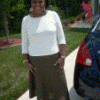
Sorry I have not posted in a while, but you know how it is, when you lose weight you get more energy and do not have time to sit in front of the computer. But anyway, since last post, I am down to 200 lbs. from a size 20 to a 14 and 5 fills. I have met my sweet spot and boy does it feel good.:thumbup: I'm still not consuming any meat, bread or fruit. I just cannot handle them for some reason.:thumbup: Will keep you guys updated as much as possible. Have a great day!!!!!!!

2 Comments

Recommended Comments

MsMia2u

LAP-BAND Patients

Hope everyone is doing well with their lap band.

Sorry I have not posted in a while, but you know how it is, when you lose weight you get more energy and do not have time to sit in front of the computer. But anyway, since last post, I am down to 200 lbs. from a size 20 to a 14 and 5 fills. I have met my sweet spot and boy does it feel good.:o I'm still not consuming any meat, bread or fruit. I just cannot handle them for some reason.B) Will keep you guys updated as much as possible. Have a great day!!!!!!!

tondavi719

LAP-BAND Patients

:thumbup:Hey there!

Congratulations! You are doing awesome!! I was banded on Jan. 9th. I have lost 42 pounds and am very excited! Any advice you would like to share?? God bless and good luck with the next 50 or so! Tonya

Guest
Add a comment...

Account

Navigation

Search

Search

Configure browser push notifications

Chrome (Android)
  1. Tap the lock icon next to the address bar.
  2. Tap Permissions → Notifications.
  3. Adjust your preference.
Chrome (Desktop)
  1. Click the padlock icon in the address bar.
  2. Select Site settings.
  3. Find Notifications and adjust your preference.