




Skip to content
View in the app

A better way to browse. Learn more.

BariatricPal

A full-screen app on your home screen with push notifications, badges and more.

To install this app on iOS and iPadOS
  1. Tap the Share icon in Safari
  2. Scroll the menu and tap Add to Home Screen.
  3. Tap Add in the top-right corner.
To install this app on Android
  1. Tap the 3-dot menu (⋮) in the top-right corner of the browser.
  2. Tap Add to Home screen or Install app.
  3. Confirm by tapping Install.

time to f%%&ing grow up
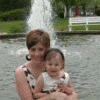
I am realizing that having what I have always wanted is not easy to understand. I have done and am currently doing more and have more than I ever thought I would at this point in my life. I have a wonderful family, daughter, husband and business. The only thing Ihave to learn is how to deal with me. I am a size I have always wanted to be. WOW! Big harry deal. Boy am I self centered. I just need to shutup and enjoy life. I've got "it". Damb well time I started enjoying it.

1 Comment

Recommended Comments

mandyjo

LAP-BAND Patients

I am realizing that having what I have always wanted is not easy to understand. I have done and am currently doing more and have more than I ever thought I would at this point in my life. I have a wonderful family, daughter, husband and business. The only thing Ihave to learn is how to deal with me. I am a size I have always wanted to be. WOW! Big harry deal. Boy am I self centered. I just need to shutup and enjoy life. I've got "it". Damb well time I started enjoying it.

Guest
Add a comment...

Account

Navigation

Search

Search

Configure browser push notifications

Chrome (Android)
  1. Tap the lock icon next to the address bar.
  2. Tap Permissions → Notifications.
  3. Adjust your preference.
Chrome (Desktop)
  1. Click the padlock icon in the address bar.
  2. Select Site settings.
  3. Find Notifications and adjust your preference.