




Skip to content
View in the app

A better way to browse. Learn more.

BariatricPal

A full-screen app on your home screen with push notifications, badges and more.

To install this app on iOS and iPadOS
  1. Tap the Share icon in Safari
  2. Scroll the menu and tap Add to Home Screen.
  3. Tap Add in the top-right corner.
To install this app on Android
  1. Tap the 3-dot menu (⋮) in the top-right corner of the browser.
  2. Tap Add to Home screen or Install app.
  3. Confirm by tapping Install.

Shift_Postopp

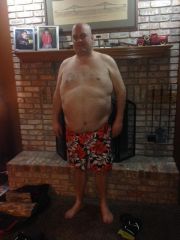
WLS yesterday! Wow I felt like crap yesterday. Today is much better though and I'm glad I took another day off from work. I had really good run up to surgery with pre-op weight loss of 16 pounds. So far I'm just sipping clear liquids and all is good. I'm sure things change once the swelling subsides. Can't wait to get back to my workout routine.

Images

  1. Pre Op 2014.01.30
View the entire My Lap-Band Journey album

0 Comments

Recommended Comments

There are no comments to display.

Guest
Add a comment...

Account

Navigation

Search

Search

Configure browser push notifications

Chrome (Android)
  1. Tap the lock icon next to the address bar.
  2. Tap Permissions → Notifications.
  3. Adjust your preference.
Chrome (Desktop)
  1. Click the padlock icon in the address bar.
  2. Select Site settings.
  3. Find Notifications and adjust your preference.