




Skip to content
View in the app

A better way to browse. Learn more.

BariatricPal

A full-screen app on your home screen with push notifications, badges and more.

To install this app on iOS and iPadOS
  1. Tap the Share icon in Safari
  2. Scroll the menu and tap Add to Home Screen.
  3. Tap Add in the top-right corner.
To install this app on Android
  1. Tap the 3-dot menu (⋮) in the top-right corner of the browser.
  2. Tap Add to Home screen or Install app.
  3. Confirm by tapping Install.
  • Appearance

Another Day, Another Shake
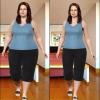
Today is Day 5 of my pre-op shake diet. I'm really growing to dread "meal time". I guess it doesn't help that I've also been sick the past few days. All I want is a little soup. I've been eating my vegetables for dinner. I never thought I'd ever be looking forward to eating asparagus and cauliflower!


I'm doing this for a reason. It will all be worth it when I start dropping pounds. This is the first time in years that I actually have a chance to get down to a reasonable size. Right now my first goal isn't even getting out of plus size clothes sizes. I've been shopping in plus size stores for so long! It really doesn't bother me. My first goal is to be able to shop in the regular section of stores that sell XXL like Old Navy or Target. I guess that would make my first goal a size 18. From here at 4X, that seems like a long way off, but I know I can do it!

2 Comments

Recommended Comments

gowalking

LAP-BAND Patients

Oh you can do it...don't doubt it for a moment. I was also a 4X this time last year and now I'm now wearing (depending on the manufacturer) anywhere from medium to XL...which is not the same as 1X..I know because 1X is still larger than XL.

Cat225

LAP-BAND Patients

Thanks for the encouragement, and congratulations on your success!

Guest
Add a comment...

Account

Navigation

Search

Search

Configure browser push notifications

Chrome (Android)
  1. Tap the lock icon next to the address bar.
  2. Tap Permissions → Notifications.
  3. Adjust your preference.
Chrome (Desktop)
  1. Click the padlock icon in the address bar.
  2. Select Site settings.
  3. Find Notifications and adjust your preference.