



Skip to content
View in the app

A better way to browse. Learn more.

BariatricPal

A full-screen app on your home screen with push notifications, badges and more.

To install this app on iOS and iPadOS
  1. Tap the Share icon in Safari
  2. Scroll the menu and tap Add to Home Screen.
  3. Tap Add in the top-right corner.
To install this app on Android
  1. Tap the 3-dot menu (⋮) in the top-right corner of the browser.
  2. Tap Add to Home screen or Install app.
  3. Confirm by tapping Install.

Interesting Time At Wedding
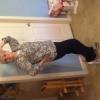
Just got back from a beautiful wedding. I thought they would have food I could eat, so no worries. Well I was wrong, there was all pasta, and I'm on the Adkins type pre diet. Well thankfully they had salad and for the kids they had chicken nuggets. So I peeled off the breading from the chicken and cut it up in my salad and made my own dinner.


Got some exercise from dancing.


Any other diet I would have said, oh well, and ate what was there. I think I'm finally learning to adjust food to my requirements, not just go with the flow.


I hope I always stay true!

1 Comment

Recommended Comments

Peazwithin

LAP-BAND Patients

Good Call!

Guest
Add a comment...

Account

Navigation

Search

Search

Configure browser push notifications

Chrome (Android)
  1. Tap the lock icon next to the address bar.
  2. Tap Permissions → Notifications.
  3. Adjust your preference.
Chrome (Desktop)
  1. Click the padlock icon in the address bar.
  2. Select Site settings.
  3. Find Notifications and adjust your preference.