




Skip to content
View in the app

A better way to browse. Learn more.

BariatricPal

A full-screen app on your home screen with push notifications, badges and more.

To install this app on iOS and iPadOS
  1. Tap the Share icon in Safari
  2. Scroll the menu and tap Add to Home Screen.
  3. Tap Add in the top-right corner.
To install this app on Android
  1. Tap the 3-dot menu (⋮) in the top-right corner of the browser.
  2. Tap Add to Home screen or Install app.
  3. Confirm by tapping Install.

I Am Back And In Full Force
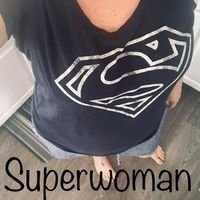
Well its been a while since i have been on here so i thought I would catch up and ask for some help/support.


So yesterday was 1 year since my surgery and I am down about 75 lbs. its a lot but i always think it could be more.


I have been on a stall for over 4 months now, not sure what i can do to get back on track and get loosing again - who wants to help me?????


i am up for all suggestions comments good or bad bring it on. Lets do this!!!!!

2 Comments

Recommended Comments

jennifer G

Gastric Sleeve Patients

Congratulation on loosing 75 pounds what an accomplishment. I am new just ten days out so I am not the person who you are looking for to help however I just wanted to say great job! I hope you can find what help you need. I know this is a life long issuer we all have to face and that the sleeve is just one great tool. I do have one question and I have been waiting to ask some one who has been sleeved for a while. I now have no appetite do you find that this grows or is it head hunger that is more of an issue the longer you are sleeved? Best of luck to you.

SKCUNNINGHAM

LAP-BAND Patients

Do a search here on the forum and look for LilMissDiva's post on how to get back on track. It is her version of the 5 day pouch test. It has worked for a lot of people.

Guest
Add a comment...

Account

Navigation

Search

Search

Configure browser push notifications

Chrome (Android)
  1. Tap the lock icon next to the address bar.
  2. Tap Permissions → Notifications.
  3. Adjust your preference.
Chrome (Desktop)
  1. Click the padlock icon in the address bar.
  2. Select Site settings.
  3. Find Notifications and adjust your preference.