




Skip to content
View in the app

A better way to browse. Learn more.

BariatricPal

A full-screen app on your home screen with push notifications, badges and more.

To install this app on iOS and iPadOS
  1. Tap the Share icon in Safari
  2. Scroll the menu and tap Add to Home Screen.
  3. Tap Add in the top-right corner.
To install this app on Android
  1. Tap the 3-dot menu (⋮) in the top-right corner of the browser.
  2. Tap Add to Home screen or Install app.
  3. Confirm by tapping Install.
  • Appearance

August 29th, Sloooowwww Going
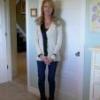
Day 19 post-op. I'm down .2 pounds after a big stall. Wonder if this means the stall is over? I hope so; tomorrow will tell. Although I'm two days from mushies, I've been eating clear chicken noodle soup with some mushy small bites of veggies and an occasional noodle. Went down fine. That's all I'm doing except for my Medifast oatmeal thinned way down. Monday I can have cottage cheese and other mushy stuff, oh boy!:biggrin2:

Energy is slowing returning. I notice a bit more every day. I can walk through a parking lot without it draining me. My incision from the drain finally closed after about 16 days but that's going to leave a big scar.:mad0:. I wish they could have made that hole a little smaller to begin with. Oh well, the nip/tuck can be revise that.:cursing:

0 Comments

Recommended Comments

There are no comments to display.

Guest
Add a comment...

Account

Navigation

Search

Search

Configure browser push notifications

Chrome (Android)
  1. Tap the lock icon next to the address bar.
  2. Tap Permissions → Notifications.
  3. Adjust your preference.
Chrome (Desktop)
  1. Click the padlock icon in the address bar.
  2. Select Site settings.
  3. Find Notifications and adjust your preference.