




Skip to content
View in the app

A better way to browse. Learn more.

BariatricPal

A full-screen app on your home screen with push notifications, badges and more.

To install this app on iOS and iPadOS
  1. Tap the Share icon in Safari
  2. Scroll the menu and tap Add to Home Screen.
  3. Tap Add in the top-right corner.
To install this app on Android
  1. Tap the 3-dot menu (⋮) in the top-right corner of the browser.
  2. Tap Add to Home screen or Install app.
  3. Confirm by tapping Install.

12-28-06

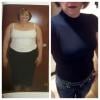
I was feeling down about only loosing 4# in dec challenge with the sept bandsters. However- Lets look at the positive: I did not gain over christmas, never have I lost between Oct and Dec ever! I am going to have a fill next week. I have mixed emotions since I either do 100% fine or get stuck in the first 4 bites, slime and occassionally PB. I am going to only request .2-.3cc and then buckle down on my intake and increase my exercise.

1 Comment

Recommended Comments

gonnabethin

LAP-BAND Patients

I was feeling down about only loosing 4# in dec challenge with the sept bandsters. However- Lets look at the positive: I did not gain over christmas, never have I lost between Oct and Dec ever! I am going to have a fill next week. I have mixed emotions since I either do 100% fine or get stuck in the first 4 bites, slime and occassionally PB. I am going to only request .2-.3cc and then buckle down on my intake and increase my exercise.

Guest
Add a comment...

Account

Navigation

Search

Search

Configure browser push notifications

Chrome (Android)
  1. Tap the lock icon next to the address bar.
  2. Tap Permissions → Notifications.
  3. Adjust your preference.
Chrome (Desktop)
  1. Click the padlock icon in the address bar.
  2. Select Site settings.
  3. Find Notifications and adjust your preference.