Skip to content
View in the app

A better way to browse. Learn more.

BariatricPal

A full-screen app on your home screen with push notifications, badges and more.

To install this app on iOS and iPadOS
  1. Tap the Share icon in Safari
  2. Scroll the menu and tap Add to Home Screen.
  3. Tap Add in the top-right corner.
To install this app on Android
  1. Tap the 3-dot menu (⋮) in the top-right corner of the browser.
  2. Tap Add to Home screen or Install app.
  3. Confirm by tapping Install.
  • Appearance

Befor and after

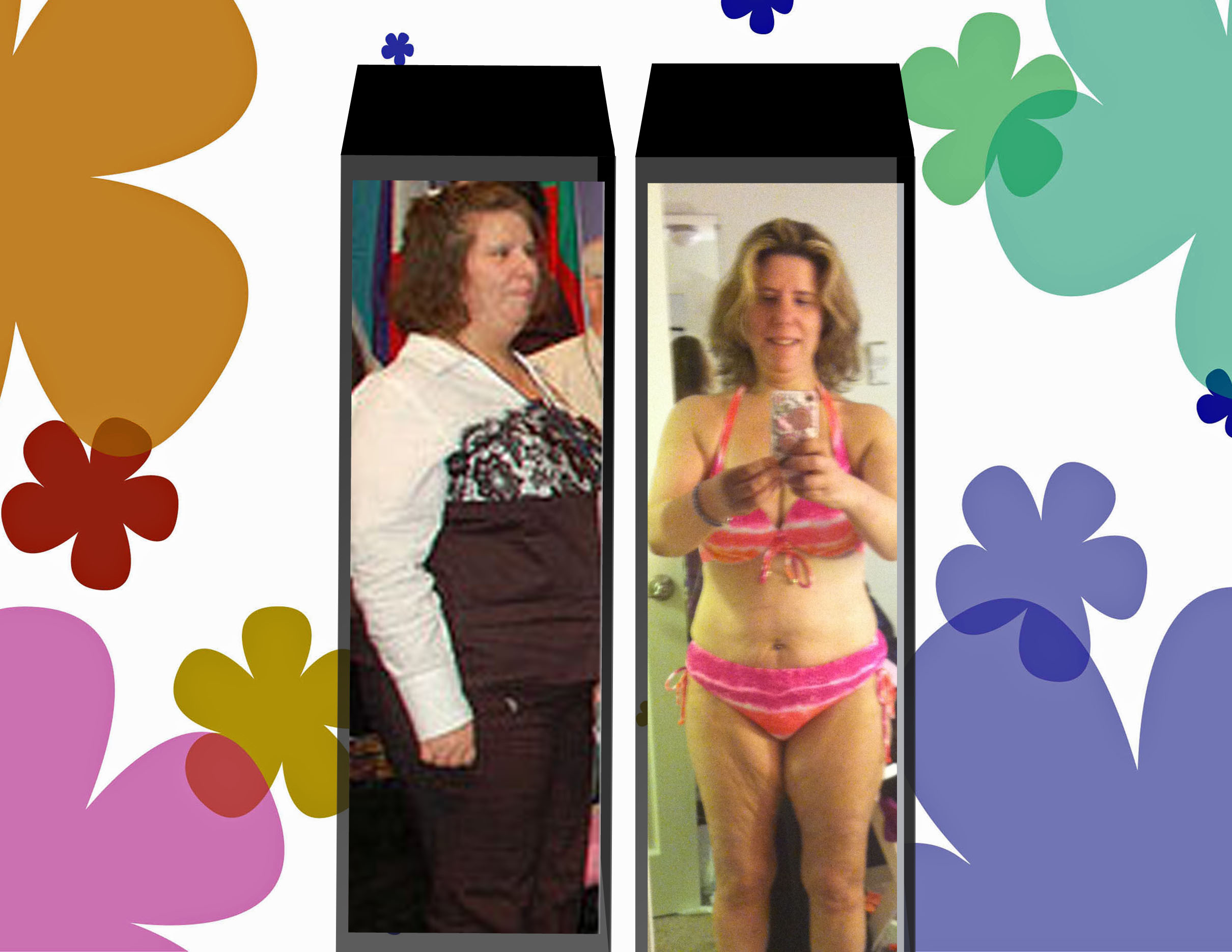
blogs/blog-0762592001370043060.jpgIf you had asked me Last year i be wearing this size i say no If you asked me if I own a two pice last year this time I say no. If you asked me if i had my navle pice i say no. Well


here it is


Yes i am a size 4/6


Yes; I do own a two piece


Yes I did puce my navel because i could

5 Comments

Recommended Comments

dylanmiles23

LAP-BAND Patients

CONGRATULATIONS!!!!!!!!!!!!!!! you look amazing, good for you and thanks for sharing.

stept04

LAP-BAND Patients

Great job, your looking good!

~~~Stephanie

Quahog

LAP-BAND Patients

You should be very proud of yourself!!

beli

LAP-BAND Patients

You look absolutely AMAZING! Congrats!

Guest
Add a comment...

Account

Navigation

Search

Search

Configure browser push notifications

Chrome (Android)
  1. Tap the lock icon next to the address bar.
  2. Tap Permissions → Notifications.
  3. Adjust your preference.
Chrome (Desktop)
  1. Click the padlock icon in the address bar.
  2. Select Site settings.
  3. Find Notifications and adjust your preference.