




Five Months Post Op Today!
· 639 views
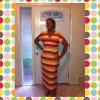
It has been a while since I have updated this blog. Today I am five months out and 38 pounds lighter! I am also two pounds from reaching one of my goals to lost 100 pounds. I feel great and have been told I am looking great! LOL! I have had four fills and think finally this last one is it. I have 7.5 CC's in my 10 CC band. I am still experimenting with which foods are ok. Beef is hard for me, but chicken and seafood are okay. I eat a lot of fruits and veggies, green tea and greek yogurt are a huge part of my fridge. I am still exercising 4-5 times a week, and I recently started running, which I really do hate, but it is good for me.LOL. I am here to tell you that this amazing tool will work for you as long as you work with it. Do not try to east around it, do not cheat yourself by not exercising. The hardest part is keeping going and every day is a struggle. Just keep going! 
Recommended Comments