



Skip to content
View in the app

A better way to browse. Learn more.

BariatricPal

A full-screen app on your home screen with push notifications, badges and more.

To install this app on iOS and iPadOS
  1. Tap the Share icon in Safari
  2. Scroll the menu and tap Add to Home Screen.
  3. Tap Add in the top-right corner.
To install this app on Android
  1. Tap the 3-dot menu (⋮) in the top-right corner of the browser.
  2. Tap Add to Home screen or Install app.
  3. Confirm by tapping Install.

July 2010

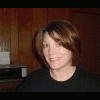
Went to a wedding this weekend and had the best time ever! I added a couple of pictures. I have to say I felt disapointed when I saw the pictures because I feel like I should look better than I do in the pictures. I guess I jsut need to be patient. I know I am a lot healthier then I was a few months ago.


I did meet my last goal. I am down to 185 lbs as of today. Next goal is to walk everyday for about 1/2 an hour a day for the next week.

1 Comment

Recommended Comments

J_BandRanger

LAP-BAND Patients

you dont have to tell me about "picture disappoinments"!!! :tt2: just check out my blog entry!!! on second thought - do NOT look at it - its not very "positive"...this may sound mean, but i am actually relieved to see that someone else is also not happy w/a recent picture!!!!:) makes me feel more "normal"......

Guest
Add a comment...

Account

Navigation

Search

Search

Configure browser push notifications

Chrome (Android)
  1. Tap the lock icon next to the address bar.
  2. Tap Permissions → Notifications.
  3. Adjust your preference.
Chrome (Desktop)
  1. Click the padlock icon in the address bar.
  2. Select Site settings.
  3. Find Notifications and adjust your preference.