




Skip to content
View in the app

A better way to browse. Learn more.

BariatricPal

A full-screen app on your home screen with push notifications, badges and more.

To install this app on iOS and iPadOS
  1. Tap the Share icon in Safari
  2. Scroll the menu and tap Add to Home Screen.
  3. Tap Add in the top-right corner.
To install this app on Android
  1. Tap the 3-dot menu (⋮) in the top-right corner of the browser.
  2. Tap Add to Home screen or Install app.
  3. Confirm by tapping Install.

Progress

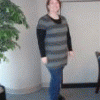
I was having a "fat" day, so I wanted to look at my progress pictures and remember how far I've come. Seeing my "before" photo from mid-January, right next to my current picture from a couple of weeks ago definitely helps me to put today in perspective!


Tomorrow I'm participating in a local Arthritis Walk. I have no idea how long it is. Perhaps I should have checked! Ha!


I'm looking forward to going on vacation next week. I think I have late Spring fever!! :)


Have a great weekend everyone!


78422-albums5440-picture33057t.jpg78422-albums5440-picture35427t.jpg

1 Comment

Recommended Comments

rhonda2010

LAP-BAND Patients

way to go! you look great. keep up the good work.

Guest
Add a comment...

Account

Navigation

Search

Search

Configure browser push notifications

Chrome (Android)
  1. Tap the lock icon next to the address bar.
  2. Tap Permissions → Notifications.
  3. Adjust your preference.
Chrome (Desktop)
  1. Click the padlock icon in the address bar.
  2. Select Site settings.
  3. Find Notifications and adjust your preference.