Skip to content
View in the app

A better way to browse. Learn more.

BariatricPal

A full-screen app on your home screen with push notifications, badges and more.

To install this app on iOS and iPadOS
  1. Tap the Share icon in Safari
  2. Scroll the menu and tap Add to Home Screen.
  3. Tap Add in the top-right corner.
To install this app on Android
  1. Tap the 3-dot menu (⋮) in the top-right corner of the browser.
  2. Tap Add to Home screen or Install app.
  3. Confirm by tapping Install.
  • Appearance

Join BariatricPal free

  • Ask your own questions
  • Reply and follow topics
  • Message other members
  • No cost, no spam

Shakes - Alternate to Magic Bullet

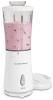
I found the greatest little gadget at Walmart for only $13.88. It's a Hamilton Beach shake-maker. Takes up a tiny bit of counter space, and it's just for shakes. The Magic Bullet is expensive and comes with too many parts for someone like me who doesn't cook much. But this little shake maker is awesome because you use the mini-plastic-blender part to drink out of. Yep, you pop it right off the base, put the spill-proof lid on, and drink it on the way to work. It even has a sippy-slider to either sip or put a straw in. Now it's at work, so I wash it and toss it in my purse, ready for tomorrow. I love it, it's perfect.

Today's shake: 8 oz soy milk, mini banana, frozen blue berries and a couple tablespoons bran Cereal. Love it.

  • Replies 32
  • Views 3.5k
  • Created
  • Last Reply

Top Posters In This Topic

Posted Images

Featured Replies

Well, Im a sucker for a gimic and I bought a Magic bullet, I found it had a fatel flaw, the little rubber feet that turn it wear down and then you cant use it!!

I was looking for another option, THANKS!

Join the conversation

You can post as a guest; create a free account to track replies, follow topics, and be part of the largest weight loss surgery community.

Join the conversation

You can post now and register later. If you have an account, sign in now to post with your account.

Guest
Reply to this topic...

Account

Navigation

Search

Search

Configure browser push notifications

Chrome (Android)
  1. Tap the lock icon next to the address bar.
  2. Tap Permissions → Notifications.
  3. Adjust your preference.
Chrome (Desktop)
  1. Click the padlock icon in the address bar.
  2. Select Site settings.
  3. Find Notifications and adjust your preference.