Skip to content
View in the app

A better way to browse. Learn more.

BariatricPal

A full-screen app on your home screen with push notifications, badges and more.

To install this app on iOS and iPadOS
  1. Tap the Share icon in Safari
  2. Scroll the menu and tap Add to Home Screen.
  3. Tap Add in the top-right corner.
To install this app on Android
  1. Tap the 3-dot menu (⋮) in the top-right corner of the browser.
  2. Tap Add to Home screen or Install app.
  3. Confirm by tapping Install.

Maincat's Bandiversary

Hi all,

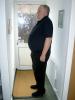
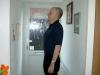
Today is my bandiversary, so here are my before and after images. It's been a very successful year, way beyond my hopes and expectations. Thanks to all of you that have given me support and friendship along the way.

post-226967-13813137879328_thumb.jpg

post-226967-1381313787973_thumb.jpg

post-226967-13813137879972_thumb.jpg

  • Replies 6
  • Views 969
  • Created
  • Last Reply

Top Posters In This Topic

Posted Images

Featured Replies

Wow! You're an inspiration! Great job!!!

HAPPY BANDIVERSARY MAINCAT!!!!! :thumbup:

You are an inspiration to all of us, those that are banded and those that are about to be in the near future

WELL DONE:thumbup:

Natalie:smile2:

  • Author

Thank you all for your kind words.

Strange how you look forward to something so much, then when it comes it's a bit of an anti-climax. I gave myself a year to lose the weight, so now what? It's hard to break habits, especially when they've been good and successful ones.

I still can't bring myself to eat any bread, biscuits etc., even though I can 'afford' to eat them. Any ideas welcomed.

Thanks again.

Join the conversation

You can post now and register later. If you have an account, sign in now to post with your account.

Guest
Reply to this topic...

Trending Products

PatchAid Vitamin Patches

Account

Navigation

Search

Search

Configure browser push notifications

Chrome (Android)
  1. Tap the lock icon next to the address bar.
  2. Tap Permissions → Notifications.
  3. Adjust your preference.
Chrome (Desktop)
  1. Click the padlock icon in the address bar.
  2. Select Site settings.
  3. Find Notifications and adjust your preference.