Skip to content
View in the app

A better way to browse. Learn more.

BariatricPal

A full-screen app on your home screen with push notifications, badges and more.

To install this app on iOS and iPadOS
  1. Tap the Share icon in Safari
  2. Scroll the menu and tap Add to Home Screen.
  3. Tap Add in the top-right corner.
To install this app on Android
  1. Tap the 3-dot menu (⋮) in the top-right corner of the browser.
  2. Tap Add to Home screen or Install app.
  3. Confirm by tapping Install.

Weight Loss Simulator from Prevention.com

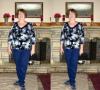
This was kind of a neat thing to try to check out what I mentally could think of as Before and After. It lets you pick height, weight, facial characteristics, body type, hair color, and a few things but its just to give you an idea.

http://preventionweightloss.mvm.com/rodale_wl_ctx/jsp/sim.jsp

:teeth_smile: Kinda cool!

Weight loss simulator.doc

Edited by SpecialK
Corrected the url link

  • Replies 16
  • Views 5.4k
  • Created
  • Last Reply

Top Posters In This Topic

Posted Images

Featured Replies

I found the Virtual Model website through your album, Aprilapple. It is really nifty!

Edited by MistyD65

lol I actually thought about how the virtual models would look with saggy skin! There is another website that uses your actual photo. I need to take a full body pic so that I can do that one.

It's www.weightview.com

Edited by Apple8<)

I already had one when I went to that site! It turns out it's the same program used by Lands' End for their site. It's also really helpful when choosing particular styles of clothes. Very cool!!!

I cant use the prevention website it doesnt go up to a high enough weight. :crying:

it stops at 350

I've been using that simulator (on myvirtualmodel.com) for a while now and I can't see much difference in the higher weights. I've lost 50lbs this year and the pictures look identical....

Now, if I put in my goal weight there is a definate difference.

Join the conversation

You can post now and register later. If you have an account, sign in now to post with your account.

Guest
Reply to this topic...

Trending Products

PatchAid Vitamin Patches

Account

Navigation

Search

Search

Configure browser push notifications

Chrome (Android)
  1. Tap the lock icon next to the address bar.
  2. Tap Permissions → Notifications.
  3. Adjust your preference.
Chrome (Desktop)
  1. Click the padlock icon in the address bar.
  2. Select Site settings.
  3. Find Notifications and adjust your preference.