



Getting banded on Thursday!
Featured Replies
Join the conversation
You can post as a guest; create a free account to track replies, follow topics, and be part of the largest weight loss surgery community.

A better way to browse. Learn more.
A full-screen app on your home screen with push notifications, badges and more.
Join BariatricPal free
You can post as a guest; create a free account to track replies, follow topics, and be part of the largest weight loss surgery community.
Find support for your bariatric or GLP-1 journey. Save helpful conversations and take part when you are ready.
Choose your email preferences on the registration form.
Already a member? Sign in
I'm so excited to be getting my band on Thursday Sept 4th.
It will be done at South Coast Medical Center in Laguna Beach,CA by Dr. Quebbeman and Dr. Braverman at the N.E.W. Program.
I have been really pleased with how well everything is going so far. Everyone at the center has been great. At first, I wasn't sure of my chances since I have systemic Lupus, but my Rheumy cleared me for surgery. Amazingly my insurance is paying for 90% of the surgery!
Some people I've told say "but you don't look that big..." I am 4' 11" and weighed about 200 lbs at the start of my journey. I guess I just don't look that heavy, but I definitely feel it when I walk and try to do regular activities I used to do. A few years back, I was pretty in shape and considering becoming a certified Pilates instructor. Now, I barely remember what it's like to be that flexible. :smile:
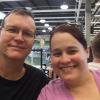
My boyfriend is amazingly supportive and is excited to go out and do all these activities with me (as if I'm suddenly going to be Ms. Fitness America and actually like the outdoors even if I never did when I was skinnier and in shape).
Anyway, I've loved browsing around and reading about your experiences so I figured I'd stop lurking and tell you all about me.