Skip to content
View in the app

A better way to browse. Learn more.

BariatricPal

A full-screen app on your home screen with push notifications, badges and more.

To install this app on iOS and iPadOS
  1. Tap the Share icon in Safari
  2. Scroll the menu and tap Add to Home Screen.
  3. Tap Add in the top-right corner.
To install this app on Android
  1. Tap the 3-dot menu (⋮) in the top-right corner of the browser.
  2. Tap Add to Home screen or Install app.
  3. Confirm by tapping Install.

Before & After

  • Replies 25
  • Views 6.1k
  • Created
  • Last Reply

Top Posters In This Topic

Posted Images

Featured Replies

Hi Isa,

If you want to attach a photo to a post, click on Manage Attachments below the box where you're writing your post. That will allow you to upload the photo to the site. What you're trying to do is link to a photo on your hard drive and that doesn't work.

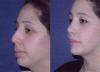
WOW What a difference! U look beautifull really! Who did your surgery? What did u have done? I can see the rinoplasti but did you have lipo under the neck? Its hard to tell exactly what was done it looks so natural. U LOOK HOT MAMA!

  • Author

I had a rhinoplasty (quite obvious, I really needed it) and I had a chin implant. It also helps that I've lost a lot of weight. I had it done in Monterrey, MX with Dr. Cardenas. He was great! I plan to go back sometime next year to have a TT.

THere ya go

Oh my gosh, someone puleeeze put these side by side so I can STARE at them for hours. Isa, you look gorgeous!!!

Isa, WOW

I remember you as in the first pic when we met in Monterrey.

I'm so happy for you!!!

That's it, I know which doc I'm going to use, I want a chin like yours!

You can't beat the price

Thank you, thank you for posting these pics.

I'm saving my money

Join the conversation

You can post now and register later. If you have an account, sign in now to post with your account.

Guest
Reply to this topic...

Trending Products

PatchAid Vitamin Patches

Account

Navigation

Search

Search

Configure browser push notifications

Chrome (Android)
  1. Tap the lock icon next to the address bar.
  2. Tap Permissions → Notifications.
  3. Adjust your preference.
Chrome (Desktop)
  1. Click the padlock icon in the address bar.
  2. Select Site settings.
  3. Find Notifications and adjust your preference.