Skip to content
View in the app

A better way to browse. Learn more.

BariatricPal

A full-screen app on your home screen with push notifications, badges and more.

To install this app on iOS and iPadOS
  1. Tap the Share icon in Safari
  2. Scroll the menu and tap Add to Home Screen.
  3. Tap Add in the top-right corner.
To install this app on Android
  1. Tap the 3-dot menu (⋮) in the top-right corner of the browser.
  2. Tap Add to Home screen or Install app.
  3. Confirm by tapping Install.
  • Cart

Looking for guidance

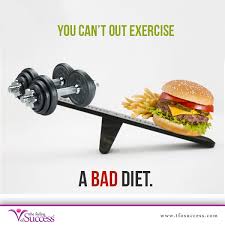
I am coming up on a year and a half post op. I have lost over 120 lbs but in the last week or two I feel like I’m slipping into old habits. I have gained 6 lbs in the last 2 weeks and I do not want to go back to my old habits. Still exercising 4-5 times a week but eating poorly. I still want to lose another 15-20 lbs any suggestions on how to get back on eating right?

thanks for the help

  • Replies 3
  • Views 1.2k
  • Created
  • Last Reply

Featured Replies

In my support group we have a program called back to the beginning. Basically you start back at the beginning. You do (I believe) two days liquid diet, then go to soft food, etc, etc. I don't have the information in front of me right now, but if you want I can try to find it when I get home and let you know exactly what it is.

congrats on 120 pounds down! 15 to 20 can be done.

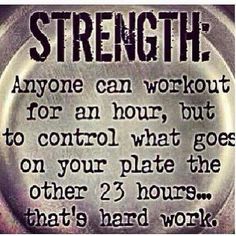
Find that discipline you had in the beginning. Make this your summer challenge.

  • Get rid of the temptation foods. Get them out of the house. (I have my husband hide his treats)
  • Go grocery shopping for some great fresh healthy foods.
  • Have healthy sweet and salty craving options.
  • Log your food. calorie,carbs and protein goals, hydrate.

download.jpg

816820fc009fd9e0a17ca5bc9b50fc92--hard-work-to-work.jpg

images.jpg

Agreed - liquid for 2 days with focus on getting water and protien. Then move to clean meals with scheduled snacks. After the huge loss you have the next 15 to 20. Ready set go.


Archived

This topic is now archived and is closed to further replies.

Trending Products

PatchAid Vitamin Patches

Account

Navigation

Search

Search

Configure browser push notifications

Chrome (Android)
  1. Tap the lock icon next to the address bar.
  2. Tap Permissions → Notifications.
  3. Adjust your preference.
Chrome (Desktop)
  1. Click the padlock icon in the address bar.
  2. Select Site settings.
  3. Find Notifications and adjust your preference.