Skip to content
View in the app

A better way to browse. Learn more.

BariatricPal

A full-screen app on your home screen with push notifications, badges and more.

To install this app on iOS and iPadOS
  1. Tap the Share icon in Safari
  2. Scroll the menu and tap Add to Home Screen.
  3. Tap Add in the top-right corner.
To install this app on Android
  1. Tap the 3-dot menu (⋮) in the top-right corner of the browser.
  2. Tap Add to Home screen or Install app.
  3. Confirm by tapping Install.

PRE-OP DIET STARTS TODAY

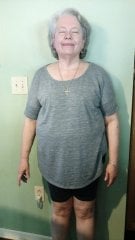
On my way to get my diet plan from my surgeon... 15 days til surgery it's getting so real I'm so ready[emoji119][emoji126][emoji126]

Sent from my SM-G935V using BariatricPal mobile app

  • Replies 6
  • Views 523
  • Created
  • Last Reply

Featured Replies

7 hours ago, sassy683 said:

On my way to get my diet plan from my surgeon... 15 days til surgery it's getting so real I'm so ready

You'll do well! I have one day left on my pre-op, surgery on Thursday. It's been pretty easy (3 optifast shakes, 1 bar, 1 soup) daily. If you get a headache, hydrate! I found unsweetened warm tea (Constant Comment, or Ginger) were comforting & filling, and lemonade Crystal Light. You will do fantastically!

  • Author
You'll do well! I have one day left on my pre-op, surgery on Thursday. It's been pretty easy (3 optifast shakes, 1 bar, 1 soup) daily. If you get a headache, hydrate! I found unsweetened warm tea (Constant Comment, or Ginger) were comforting & filling, and lemonade Crystal Light. You will do fantastically!

Thank you... good luck to u too

Sent from my SM-G935V using BariatricPal mobile app

I start my diet in 2 days.. Getting ready for surgery day - 10/18/17..

Thanks for the info.. Wish me luck..

  • Author
I start my diet in 2 days.. Getting ready for surgery day - 10/18/17..
Thanks for the info.. Wish me luck..

My is the 19th

Sent from my SM-G935V using BariatricPal mobile app

Good luck for all us October sleevers..;)

Not looking forward to liquid diet I start mine on October 24, for surgery on November 7th.

Archived

This topic is now archived and is closed to further replies.

Account

Navigation

Search

Search

Configure browser push notifications

Chrome (Android)
  1. Tap the lock icon next to the address bar.
  2. Tap Permissions → Notifications.
  3. Adjust your preference.
Chrome (Desktop)
  1. Click the padlock icon in the address bar.
  2. Select Site settings.
  3. Find Notifications and adjust your preference.