Skip to content
View in the app

A better way to browse. Learn more.

BariatricPal

A full-screen app on your home screen with push notifications, badges and more.

To install this app on iOS and iPadOS
  1. Tap the Share icon in Safari
  2. Scroll the menu and tap Add to Home Screen.
  3. Tap Add in the top-right corner.
To install this app on Android
  1. Tap the 3-dot menu (⋮) in the top-right corner of the browser.
  2. Tap Add to Home screen or Install app.
  3. Confirm by tapping Install.

I'm bored...

  • Replies 31
  • Views 3k
  • Created
  • Last Reply

Top Posters In This Topic

Posted Images

Featured Replies

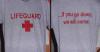
The t-shirt reminded me of when I was prego some 23 years ago. My husband who is an ironworker had a shirt that read for a perfect erection, my shirt said under construction - aww come on we were just kids!

  • Author
.....ok....does THIS help????:faint:

anybody else notice he picks his nose with his pinkie and then puts his ring finger in his mouth?

Jack- EW.

funny-cat-engineer.jpg

I'm bored too, Mondays are horrible here.

And Derek- Aws <3 It's good to be appreciated :biggrin1:

kkkk.jpg

Not sure what you were posting, but your tag made me think of a good slogan.

Save a tree, eat a beaver!

She was bored too.DSC03139-1.jpg

Join the conversation

You can post now and register later. If you have an account, sign in now to post with your account.

Guest
Reply to this topic...

Trending Products

PatchAid Vitamin Patches

Account

Navigation

Search

Search

Configure browser push notifications

Chrome (Android)
  1. Tap the lock icon next to the address bar.
  2. Tap Permissions → Notifications.
  3. Adjust your preference.
Chrome (Desktop)
  1. Click the padlock icon in the address bar.
  2. Select Site settings.
  3. Find Notifications and adjust your preference.