




Face to Face
- Replies 3
- Views 481
- Created
- Last Reply
Top Posters In This Topic
-
chynadoll619 1 post
-
lillian.b.white 1 post
-
Ljefferson72 1 post



Popular Days
Featured Replies
Join the conversation
You can post as a guest; create a free account to track replies, follow topics, and be part of the largest weight loss surgery community.
Surgery 6/14! My DL to now! Best decision I've ever made in my life with thank God and my doctor, and I'm only just getting started! I had a comment from a much older lady Saying my weight loss was "unrealistic"
Girl don't come for me.. Sorry I had a great doctor and I'm sorry I have youth own my side! And followed my doctors oders to a T.. Don't judge peoples journey.. Every single person is different, so yes I lost my weight and will continue doing what I do.. And continue dusting off haters [emoji111][emoji23]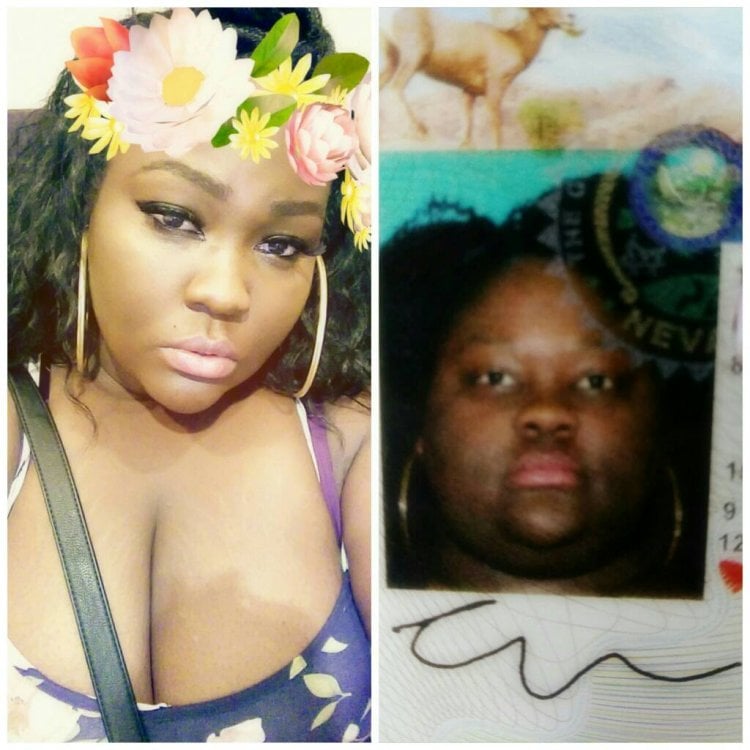 [emoji111]
Sent from my Z981 using BariatricPal mobile app