Skip to content
View in the app

A better way to browse. Learn more.

BariatricPal

A full-screen app on your home screen with push notifications, badges and more.

To install this app on iOS and iPadOS
  1. Tap the Share icon in Safari
  2. Scroll the menu and tap Add to Home Screen.
  3. Tap Add in the top-right corner.
To install this app on Android
  1. Tap the 3-dot menu (⋮) in the top-right corner of the browser.
  2. Tap Add to Home screen or Install app.
  3. Confirm by tapping Install.

Almost 1 year out

  • Replies 22
  • Views 2.9k
  • Created
  • Last Reply

Featured Replies

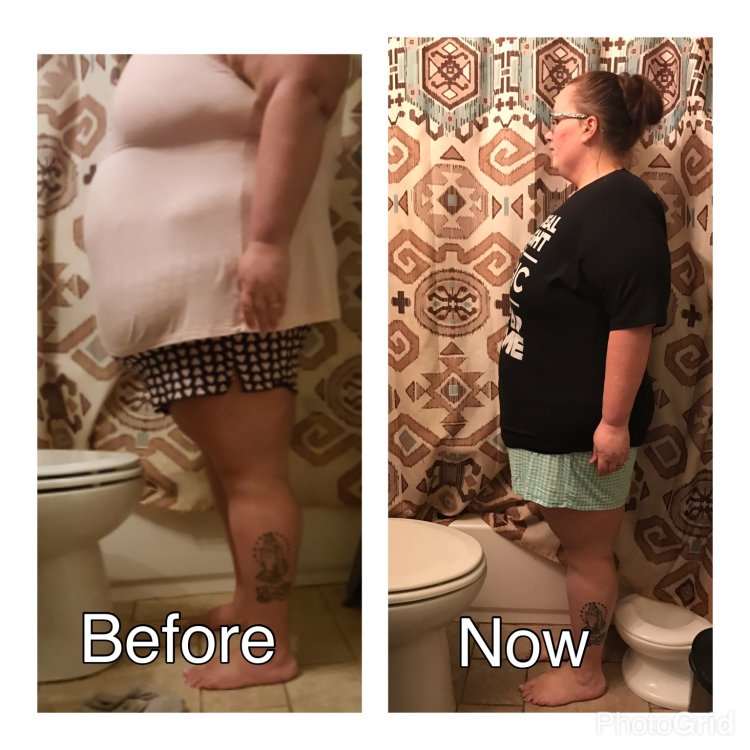
Yes, the arms TOO...thinking of getting skin removed but will have to wait until I reach my goal weight. I need to lose 36 more lbs, but I'm ok at 163, that's were I'm at now. I don't want to look all honey and saggy...[emoji52][emoji52][emoji52]

Sent from my SAMSUNG-SM-J320AZ using BariatricPal mobile app

21 hours ago, July6th sleever said:


Yes i did and still do ! Thank you so much ! How are you doing

Good. I am day 4 of the pre-op shakes. I am so looking forward to next Friday (day of surgery).

I can use some tips and advice...i wouldn't mind if we can talk or tex..or vice versa
I can give you my # if you like...sometimes I just need to talk to someone.

Sent from my SAMSUNG-SM-J320AZ using BariatricPal mobile app

Archived

This topic is now archived and is closed to further replies.

Trending Products

PatchAid Vitamin Patches

Account

Navigation

Search

Search

Configure browser push notifications

Chrome (Android)
  1. Tap the lock icon next to the address bar.
  2. Tap Permissions → Notifications.
  3. Adjust your preference.
Chrome (Desktop)
  1. Click the padlock icon in the address bar.
  2. Select Site settings.
  3. Find Notifications and adjust your preference.