Skip to content
View in the app

A better way to browse. Learn more.

BariatricPal

A full-screen app on your home screen with push notifications, badges and more.

To install this app on iOS and iPadOS
  1. Tap the Share icon in Safari
  2. Scroll the menu and tap Add to Home Screen.
  3. Tap Add in the top-right corner.
To install this app on Android
  1. Tap the 3-dot menu (⋮) in the top-right corner of the browser.
  2. Tap Add to Home screen or Install app.
  3. Confirm by tapping Install.

3 months post opt

  • Popular Post

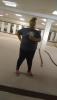
I'm 3 months post opt today. I'm not where I want to be but I'm not where I was. I've been in a slump these pass few weeks weight feels like it's at a stand still any suggestions would be appreciated.

post-309541-0-50627300-1484233706_thumb.jpg

post-309541-0-12016100-1484233752_thumb.jpg

CW: 334 lbs SW: 386 lbs HW: 412 lbs.

  • Replies 11
  • Views 1.7k
  • Created
  • Last Reply

Featured Replies

You're doing great!

The weight loss comes to a standstill for all of us.... I just came off over a month of stalling one week, losing a pound or two the next.... then stalling again.... back and forth. This is the first week in 5 weeks that I have lost more than 2 pounds.

Looking good... keep up the hard work, it shows!

Looking great, keep up the hard work. Remember you didn't put it on quickly and it won't come off quickly. You may not see the difference but everyone else can. Awesome job!!

Sent from my SM-N920V using the BariatricPal App

  • Author

Thanks everyone!

Sent from my N9518 using the BariatricPal App

  • Author

You look fantastic!!!! What was the date of your surgery

Sent from my iPhone using the BariatricPal App

Thank you. I had my surgery on October 12, 2016

You look awesome!!! Keep up the good work.

Sent from my iPhone using the BariatricPal App

Sent from my N9518 using the BariatricPal App

You really are looking great! I'm about 3 1/2 months and rocking the same stretchy pants look, too . And no, I am NOT a fast loser. It's so frustrating...

Sent from my iPhone using the BariatricPal App

Archived

This topic is now archived and is closed to further replies.

Trending Products

PatchAid Vitamin Patches

Account

Navigation

Search

Search

Configure browser push notifications

Chrome (Android)
  1. Tap the lock icon next to the address bar.
  2. Tap Permissions → Notifications.
  3. Adjust your preference.
Chrome (Desktop)
  1. Click the padlock icon in the address bar.
  2. Select Site settings.
  3. Find Notifications and adjust your preference.