Skip to content
View in the app

A better way to browse. Learn more.

BariatricPal

A full-screen app on your home screen with push notifications, badges and more.

To install this app on iOS and iPadOS
  1. Tap the Share icon in Safari
  2. Scroll the menu and tap Add to Home Screen.
  3. Tap Add in the top-right corner.
To install this app on Android
  1. Tap the 3-dot menu (⋮) in the top-right corner of the browser.
  2. Tap Add to Home screen or Install app.
  3. Confirm by tapping Install.
  • Appearance

Join BariatricPal free

  • Ask your own questions
  • Reply and follow topics
  • Message other members
  • No cost, no spam

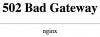
Editing Profile - 502 Bad Gateway

Anyone else encounter this error when trying to edit their profile?

Any tips to correct?

post-307962-0-69196600-1483407607_thumb.png

  • Replies 4
  • Views 633
  • Created
  • Last Reply

Top Posters In This Topic

Posted Images

Featured Replies

I can't tell you exactly how I got around it, but I think first I made the edits I wanted to make on the Settings page (don't click save changes yet). Then I changed at the top from settings to surgery information, made a change on that page, saved them on that page and I think the settings ones stuck.

Sent from my iPhone using the BariatricPal App

Edited by clc9

whenever I get that on this site, I just keep hitting refresh and eventually the error message goes away and I land on the page I wanted. Sometimes I have to refresh five or six times but it always works sooner or later.

  • Author

Hmmm, thanks to you both. I hope your tips work!

Yes and then I used Chrome on my laptop... maybe try that?!

Sent from my SM-N920P using the BariatricPal App

Join the conversation

You can post as a guest; create a free account to track replies, follow topics, and be part of the largest weight loss surgery community.

Join the conversation

You can post now and register later. If you have an account, sign in now to post with your account.

Guest
Reply to this topic...

Account

Navigation

Search

Search

Configure browser push notifications

Chrome (Android)
  1. Tap the lock icon next to the address bar.
  2. Tap Permissions → Notifications.
  3. Adjust your preference.
Chrome (Desktop)
  1. Click the padlock icon in the address bar.
  2. Select Site settings.
  3. Find Notifications and adjust your preference.