Skip to content
View in the app

A better way to browse. Learn more.

BariatricPal

A full-screen app on your home screen with push notifications, badges and more.

To install this app on iOS and iPadOS
  1. Tap the Share icon in Safari
  2. Scroll the menu and tap Add to Home Screen.
  3. Tap Add in the top-right corner.
To install this app on Android
  1. Tap the 3-dot menu (⋮) in the top-right corner of the browser.
  2. Tap Add to Home screen or Install app.
  3. Confirm by tapping Install.

Leek

  • Replies 8
  • Views 1.1k
  • Created
  • Last Reply

Featured Replies

My surgeon ordered an upper gi so I wasn't allowed to even sip Water or anything until the day after and made sure the test went well.

What makes you think you have a leak ?

Edited by jackieemac

I also had a leak test the morning after surgery before I was allowed to take anything by mouth....it amounted to me drinking this yucky tasting stuff while they did an x-ray of it going into my stomach............once I passed the leak test I was able to start sipping Water and other fluids.

Like @@jackieemac asked, what make you think you have a leak? Are you have problems?

  • Popular Post

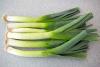
I thought this was going to be about eating Leeks.

I did the surgery 3 days back. No i dont think i have a leek but i am just asked ngb

Sent from my iPhone using the BariatricPal App

A leak will make you very sick very quickly.....Just make sure to follow your post op eating plan and you'll be fine.....not eating solid foods too early is what will prevent you from having a leak. Congrats on your surgery and good luck to you!!
Edited by kmorri

A leak will make you very sick. Your post-op instructions will tell you to look out for things like fever.

The best way to avoid a leak is to NOT try to eat solid foods too soon after surgery. Follow your surgeon's instructions.

I had to have two leak tests. That barium crap is horrible to have to drink.

Sent from my XT1585 using the BariatricPal App

Archived

This topic is now archived and is closed to further replies.

Account

Navigation

Search

Search

Configure browser push notifications

Chrome (Android)
  1. Tap the lock icon next to the address bar.
  2. Tap Permissions → Notifications.
  3. Adjust your preference.
Chrome (Desktop)
  1. Click the padlock icon in the address bar.
  2. Select Site settings.
  3. Find Notifications and adjust your preference.