Skip to content
View in the app

A better way to browse. Learn more.

BariatricPal

A full-screen app on your home screen with push notifications, badges and more.

To install this app on iOS and iPadOS
  1. Tap the Share icon in Safari
  2. Scroll the menu and tap Add to Home Screen.
  3. Tap Add in the top-right corner.
To install this app on Android
  1. Tap the 3-dot menu (⋮) in the top-right corner of the browser.
  2. Tap Add to Home screen or Install app.
  3. Confirm by tapping Install.

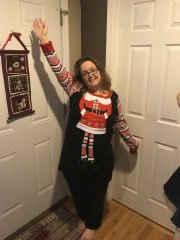
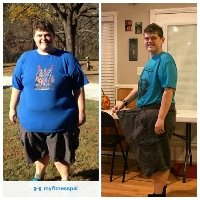
Non-scale victory!

  • Replies 17
  • Views 2.1k
  • Created
  • Last Reply

Featured Replies

I think that's amazing!

AWWWWW! that's certainly a great NSV! 'grats!

  • 5 weeks later...

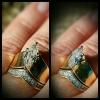
I can't wear my engagement ring anymore because it's to big. I only wear my wedding band. It's big as well but stays on my finger better than my engagement ring. Will get it resized next year.

Sent from my iPhone using the BariatricPal App

Congrats!! I love your ring! I think the marquise is beautiful - my mom had the same cut!

I bought and wore something this week that I haven't in decades...

BELTS!!!

I started to tear up when it occurred to me that just maybe I could buy some, and took the plunge.

I put one on and asked the sales lady if I looked ok and she said, "Why of course you do! You have a nice, flat tummy so there's no problem." I think I stopped breathing for a second or two when she said that.

Sent from my iPhone using the BariatricPal App

Edited by mlbdl

Archived

This topic is now archived and is closed to further replies.

Trending Products

PatchAid Vitamin Patches

Account

Navigation

Search

Search

Configure browser push notifications

Chrome (Android)
  1. Tap the lock icon next to the address bar.
  2. Tap Permissions → Notifications.
  3. Adjust your preference.
Chrome (Desktop)
  1. Click the padlock icon in the address bar.
  2. Select Site settings.
  3. Find Notifications and adjust your preference.