Skip to content
View in the app

A better way to browse. Learn more.

BariatricPal

A full-screen app on your home screen with push notifications, badges and more.

To install this app on iOS and iPadOS
  1. Tap the Share icon in Safari
  2. Scroll the menu and tap Add to Home Screen.
  3. Tap Add in the top-right corner.
To install this app on Android
  1. Tap the 3-dot menu (⋮) in the top-right corner of the browser.
  2. Tap Add to Home screen or Install app.
  3. Confirm by tapping Install.

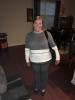
1st day back to work!

  • Replies 6
  • Views 1.3k
  • Created
  • Last Reply

Featured Replies

Hope you have a good first day back... You have a lovely smile !

Congratualtions on the surgery :)

Kate

Congrats! You are doing great.

Congratulations! And good for you for taking the time to get yourself routed in your new routines!! I went back last Monday after 6.5 weeks. I am so glad that I took the time!

Great job..look great..I go back on Dec 1st..took 4wks off and felling good so far..????

Sent from my SM-N920P using the BariatricPal App

Congrats. I'll return to the grindstone Dec. 5, five weeks off. I'm honestly hesitant about returning. Not so much that it will be too difficult, but that this time off has made me realize my job entails more duties I have no desire to complete than I'm willing to do. But now I feel I have the confidence to speak up and make some firm demands or look for something new.

Sent from my iPhone using the BariatricPal App

Archived

This topic is now archived and is closed to further replies.

Trending Products

PatchAid Vitamin Patches

Account

Navigation

Search

Search

Configure browser push notifications

Chrome (Android)
  1. Tap the lock icon next to the address bar.
  2. Tap Permissions → Notifications.
  3. Adjust your preference.
Chrome (Desktop)
  1. Click the padlock icon in the address bar.
  2. Select Site settings.
  3. Find Notifications and adjust your preference.