Skip to content
View in the app

A better way to browse. Learn more.

BariatricPal

A full-screen app on your home screen with push notifications, badges and more.

To install this app on iOS and iPadOS
  1. Tap the Share icon in Safari
  2. Scroll the menu and tap Add to Home Screen.
  3. Tap Add in the top-right corner.
To install this app on Android
  1. Tap the 3-dot menu (⋮) in the top-right corner of the browser.
  2. Tap Add to Home screen or Install app.
  3. Confirm by tapping Install.

Non Scale Victories

Hey guys,

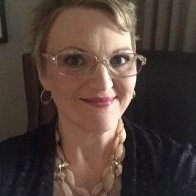
I had gastric bypass surgery on June 20, 2016. Even though the road has not always been easy, I am so grateful to my surgeon and my family for being there for me when I decided to change my life. I lost 61 pounds so far and am 49 pounds away from my goal weight. However, I want to shine a light on some non scale victories that motivated me to keep going.

  • I went from a size 1X-XL to a size L and am super close to being a size M.
  • My skin is clearing up (I barely get acne and the dark spots are fading).
  • I feel more confident, more healthy, more energetic, and most importantly, happier.

What are your NSVs?

  • Replies 2
  • Views 598
  • Created
  • Last Reply

Featured Replies

I had my sleeve on 6/17/16.

I can walk up 4 floors of stairs without stopping.

I go to crossfit twice a week.

I dont have to think twice before getting into a booth at a restaurant, or seat at theater, etc.

I went from very tight 46 waist pants to a loose 40. Just bought a pair of 38 jeans that fit perfectly.

I can do 45 squats.

I can hang from a bar and pull my knees up to waist height.

28 pounds from goal.

Sent from my SM-N930V using the BariatricPal App

My surgery was 8/3/16 and my favorite NSVs have been:

1. moving my seat up in the car - yes!!!

2. People noticing the cute dresses I own instead of my lumps and bulges

3. Energy!!!

Sent from my iPhone using the BariatricPal App

Archived

This topic is now archived and is closed to further replies.

Trending Products

PatchAid Vitamin Patches

Account

Navigation

Search

Search

Configure browser push notifications

Chrome (Android)
  1. Tap the lock icon next to the address bar.
  2. Tap Permissions → Notifications.
  3. Adjust your preference.
Chrome (Desktop)
  1. Click the padlock icon in the address bar.
  2. Select Site settings.
  3. Find Notifications and adjust your preference.