Skip to content
View in the app

A better way to browse. Learn more.

BariatricPal

A full-screen app on your home screen with push notifications, badges and more.

To install this app on iOS and iPadOS
  1. Tap the Share icon in Safari
  2. Scroll the menu and tap Add to Home Screen.
  3. Tap Add in the top-right corner.
To install this app on Android
  1. Tap the 3-dot menu (⋮) in the top-right corner of the browser.
  2. Tap Add to Home screen or Install app.
  3. Confirm by tapping Install.

Nice protein find

  • Replies 2
  • Views 934
  • Created
  • Last Reply

Featured Replies

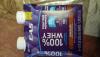
I use these exclusively for my Protein shakes. It was the only one I really could stomach. I tried so many types too. You can buy them at Target (4 packs) Amazon (12 packs) or BJs (12 packs). I actually bought a membership for BJs because they were almost $10 cheaper than Amazon between listed price and tax (no food tax in MD but Amazon charges me for it). Right now I am three months post op and I have one of these for Breakfast every morning. I don't do eggs and my breakfast options are highly limited so this does the trick.

Only small complaint about this one is that it needs to be shaken WELL. I've made the mistake of not shaking it enough to find clumps in it which isn't too pleasant.

Archived

This topic is now archived and is closed to further replies.

Trending Products

PatchAid Vitamin Patches

Account

Navigation

Search

Search

Configure browser push notifications

Chrome (Android)
  1. Tap the lock icon next to the address bar.
  2. Tap Permissions → Notifications.
  3. Adjust your preference.
Chrome (Desktop)
  1. Click the padlock icon in the address bar.
  2. Select Site settings.
  3. Find Notifications and adjust your preference.