Skip to content
View in the app

A better way to browse. Learn more.

BariatricPal

A full-screen app on your home screen with push notifications, badges and more.

To install this app on iOS and iPadOS
  1. Tap the Share icon in Safari
  2. Scroll the menu and tap Add to Home Screen.
  3. Tap Add in the top-right corner.
To install this app on Android
  1. Tap the 3-dot menu (⋮) in the top-right corner of the browser.
  2. Tap Add to Home screen or Install app.
  3. Confirm by tapping Install.

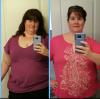
50 lbs. down in 8 weeks!

  • Replies 10
  • Views 1.6k
  • Created
  • Last Reply

Featured Replies

Yay!! Congrats!!!

  • Author

I had the duodenal switch. Where I had my surgery, Rex at Raleigh NC, the surgeons are really recommending the DS because of the larger weight loss success than other surgeries. Everyone who seemed to have bmi 40+ that I talked to at my nutrition class was getting the DS. If anyone has the choice to get it, I highly recommend researching it.

Very nicely done! Congratulations!

Congratulations :D :D :D :D :D :D

Congrats! You look great :) Can't wait to see more progress pics down the line!

Congrats!!!

Sent from my iPhone using the BariatricPal App

  • 3 weeks later...

Archived

This topic is now archived and is closed to further replies.

Trending Products

PatchAid Vitamin Patches

Account

Navigation

Search

Search

Configure browser push notifications

Chrome (Android)
  1. Tap the lock icon next to the address bar.
  2. Tap Permissions → Notifications.
  3. Adjust your preference.
Chrome (Desktop)
  1. Click the padlock icon in the address bar.
  2. Select Site settings.
  3. Find Notifications and adjust your preference.