Skip to content
View in the app

A better way to browse. Learn more.

BariatricPal

A full-screen app on your home screen with push notifications, badges and more.

To install this app on iOS and iPadOS
  1. Tap the Share icon in Safari
  2. Scroll the menu and tap Add to Home Screen.
  3. Tap Add in the top-right corner.
To install this app on Android
  1. Tap the 3-dot menu (⋮) in the top-right corner of the browser.
  2. Tap Add to Home screen or Install app.
  3. Confirm by tapping Install.

Need advice Please

Who is happy with there sleeve? Can you please give me details and encouragement? I am revising from lap band to sleeve in 7 days and I need to know what to expect?

  • Replies 19
  • Views 1.8k
  • Created
  • Last Reply

Featured Replies

The first few weeks after surgery I didn't have any food cravings. Eating felt new and scary, and I was on a restricted diet for the first month after surgery. Eating, became simply a task that was necessary.

It is different with the band because when they do your sleeve, they cut out the part of your stomach that makes the appetite hormone.

Edited by JupiterinVirgo

I'm only 8 days out and I'm kinda dreaming about food! That said, I actually don't want to eat any of that makes sense. Everything feels very new and sensitive to me and I'm almost scared to try food (it will be another three weeks on liquids for me).

I will tell you that the first week is the hardest. I had a little buyers remorse on a few occasions but I've heard that's normal. Anything worth having is hard to get. Now that I've turned a corner and am feeling better I can see the light at the end of the tunnel!

I've lost 23 lbs since I started my pre-op diet. So that's in 18 days. I can't tell you the last time I lost more than 5 lbs!! I'm so looking forward to all the positive changes and firsts ahead of me. It's really exciting!!

Sent from my iPhone using the BariatricPal App

  • 2 weeks later...

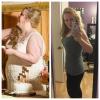
Zero regrets after 1 month! Best decision I've ever made!

Sent from my iPhone using the BariatricPal App

Archived

This topic is now archived and is closed to further replies.

Trending Products

PatchAid Vitamin Patches

Account

Navigation

Search

Search

Configure browser push notifications

Chrome (Android)
  1. Tap the lock icon next to the address bar.
  2. Tap Permissions → Notifications.
  3. Adjust your preference.
Chrome (Desktop)
  1. Click the padlock icon in the address bar.
  2. Select Site settings.
  3. Find Notifications and adjust your preference.