Skip to content
View in the app

A better way to browse. Learn more.

BariatricPal

A full-screen app on your home screen with push notifications, badges and more.

To install this app on iOS and iPadOS
  1. Tap the Share icon in Safari
  2. Scroll the menu and tap Add to Home Screen.
  3. Tap Add in the top-right corner.
To install this app on Android
  1. Tap the 3-dot menu (⋮) in the top-right corner of the browser.
  2. Tap Add to Home screen or Install app.
  3. Confirm by tapping Install.

6 months

  • Popular Post

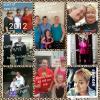
Had surgery 6/22/15 still have long ways to go but feeling good

post-131726-14509627406589_thumb.jpg

  • Replies 5
  • Views 747
  • Created
  • Last Reply

Featured Replies

Congratulations on your weight loss and your battle with cancer. :) ;) :P :D :lol: B) ;-)

Wow you are definitely a winner in so many ways! Congrats and best wishes!

A fantastic achievement for all you have been through....and by your photos you have smiled in the face of adversity no matter how tough things were for you....Congratulations!!!

I had metatastic breast cancer back in 2012...I am opting for this surgery because on top of being overweight and not achieving goal with the lapband which I have had miserably since 2004 never reaching near goal.I put on another 50 pounds which raises my chances of reoccurrence.I am scheduled for December 28....your post is inspirational....

  • 1 month later...
  • Author

I had metatastic breast cancer back in 2012...I am opting for this surgery because on top of being overweight and not achieving goal with the lapband which I have had miserably since 2004 never reaching near goal.I put on another 50 pounds which raises my chances of reoccurrence.I am scheduled for December 28....your post is inspirational....

You are amazing ♡

Archived

This topic is now archived and is closed to further replies.

Trending Products

PatchAid Vitamin Patches

Account

Navigation

Search

Search

Configure browser push notifications

Chrome (Android)
  1. Tap the lock icon next to the address bar.
  2. Tap Permissions → Notifications.
  3. Adjust your preference.
Chrome (Desktop)
  1. Click the padlock icon in the address bar.
  2. Select Site settings.
  3. Find Notifications and adjust your preference.