Skip to content
View in the app

A better way to browse. Learn more.

BariatricPal

A full-screen app on your home screen with push notifications, badges and more.

To install this app on iOS and iPadOS
  1. Tap the Share icon in Safari
  2. Scroll the menu and tap Add to Home Screen.
  3. Tap Add in the top-right corner.
To install this app on Android
  1. Tap the 3-dot menu (⋮) in the top-right corner of the browser.
  2. Tap Add to Home screen or Install app.
  3. Confirm by tapping Install.

Never give up on yourself

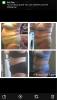
7 weeks and 2 days post sleeve surgery. There's been tears of regret in the beginning, failure, starving, missing food but now I am out of that dark place and feeling so much better! Blood pressure is back down to normal levels, Cpap machine is being turned down, knee is feeling better and I am living a happier more active life already! Can't wait to continue to be even healthier. You can do this! Never give up! post-252869-14347193346514_thumb.jpg

  • Replies 2
  • Views 437
  • Created
  • Last Reply

Featured Replies

There's something so infinitely more satisfying about sacrificing and investing yourself heart and soul towards, what must seem at times, an unattainable goal.

You have not only have achieved it, but have exceeded it by leaps and bounds. You are beautiful both inside and out, never forget that!

Archived

This topic is now archived and is closed to further replies.

Trending Products

PatchAid Vitamin Patches

Account

Navigation

Search

Search

Configure browser push notifications

Chrome (Android)
  1. Tap the lock icon next to the address bar.
  2. Tap Permissions → Notifications.
  3. Adjust your preference.
Chrome (Desktop)
  1. Click the padlock icon in the address bar.
  2. Select Site settings.
  3. Find Notifications and adjust your preference.