Skip to content
View in the app

A better way to browse. Learn more.

BariatricPal

A full-screen app on your home screen with push notifications, badges and more.

To install this app on iOS and iPadOS
  1. Tap the Share icon in Safari
  2. Scroll the menu and tap Add to Home Screen.
  3. Tap Add in the top-right corner.
To install this app on Android
  1. Tap the 3-dot menu (⋮) in the top-right corner of the browser.
  2. Tap Add to Home screen or Install app.
  3. Confirm by tapping Install.

Chat Room

Does anyone use the chat room? I see it yet when I go in I am the only one there. Is it only available during certain hours? I didn't see it last night.

  • Replies 9
  • Views 993
  • Created
  • Last Reply

Featured Replies

  • Author

If you click on Patients and in the drop down you will see chat.

We had a chat room then it was removed and and about a month ago it was announced as back. At the time you bad to get there via the link(no button) so most people don't know how to access it. I will look around for the button as I know there are people who want to use it.

  • Author

Yeah there is nobody in there. I keep going in at different times but I don't think anyone knows about it or they don't like to chat.

  • 4 weeks later...

@@Alex Brecher people still can't find the button for chat! I know that people want to use it, but we need easier access.

I am not much into chatting but I know that people used to announce a time and people did use the chat function previously.

@@Alex Brecher people still can't find the button for chat! I know that people want to use it, but we need easier access.

I am not much into chatting but I know that people used to announce a time and people did use the chat function previously.

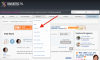
The link to the chat room can be found in the top site navigation bar under PATIENTS:

Screen Shot 2015-06-15 at 5.54.11 PM.png

As well as in the footer of our site:

Screen Shot 2015-06-15 at 5.55.34 PM.png

Hope that helps!

  • 1 month later...

I didn't know that the chat room was an option again.

I'm on vacation but when I get home, I'll make it a point to put up posts in the evenings when people like to chat. You'll have to take the time zone factor into consideration.

If anyone wants to use it, put up a post that says you would like to chat so it shows up in new posts, Then open another window and do what you want to do. You'll have to see if anyone comes in . the old chat room had a door bell that let you know someone saw your post, and came in to chat.

Hello new to this some one come talk to me

Archived

This topic is now archived and is closed to further replies.

Trending Products

PatchAid Vitamin Patches

Account

Navigation

Search

Search

Configure browser push notifications

Chrome (Android)
  1. Tap the lock icon next to the address bar.
  2. Tap Permissions → Notifications.
  3. Adjust your preference.
Chrome (Desktop)
  1. Click the padlock icon in the address bar.
  2. Select Site settings.
  3. Find Notifications and adjust your preference.