




Skip to content
View in the app

A better way to browse. Learn more.

BariatricPal

A full-screen app on your home screen with push notifications, badges and more.

To install this app on iOS and iPadOS
  1. Tap the Share icon in Safari
  2. Scroll the menu and tap Add to Home Screen.
  3. Tap Add in the top-right corner.
To install this app on Android
  1. Tap the 3-dot menu (⋮) in the top-right corner of the browser.
  2. Tap Add to Home screen or Install app.
  3. Confirm by tapping Install.

Seeing results ????

I had gastric bypass on 3/5/2015

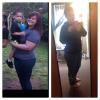
My starting weight was 249, day of surgery my weight was 228, then three weeks after surgery I landed at 216. It's going to be a bit of a slow process but I am so darn proud to be where I'm at today. Greater things to come, just have to be patient ???? post-250241-14275661588877_thumb.jpg
  • Replies 6
  • Views 545
  • Created
  • Last Reply

Featured Replies

  • Author

Your doing great girl! Everyone is so different in regards to the pace of their weight loss. You'll get there...just stick to the guidelines.

Thank you ! I appreciate it ☺️

Great job! It's true, stay with the diet, exercise and patience. You'll plateau but persistence will be key. Slow and steady will win the race ???? Best wishes my friend

  • Author

Great job! It's true, stay with the diet, exercise and patience. You'll plateau but persistence will be key. Slow and steady will win the race ???? Best wishes my friend

Absolutely ! Ty for the kind words ! Best wishes too you as well ! ????

  • Author

I had gastric bypass on 3/5/2015

My starting weight was 249, day of surgery my weight was 228, then three weeks after surgery I landed at 216. It's going to be a bit of a slow process but I am so darn proud to be where I'm at today. Greater things to come, just have to be patient ???? attachicon.gif ImageUploadedByBariatricPal1427566157.850628.jpg

u look awesome Grl!

Thanks so much ! ☺️

Archived

This topic is now archived and is closed to further replies.

Trending Products

PatchAid Vitamin Patches

Account

Navigation

Search

Search

Configure browser push notifications

Chrome (Android)
  1. Tap the lock icon next to the address bar.
  2. Tap Permissions → Notifications.
  3. Adjust your preference.
Chrome (Desktop)
  1. Click the padlock icon in the address bar.
  2. Select Site settings.
  3. Find Notifications and adjust your preference.
