Skip to content
View in the app

A better way to browse. Learn more.

BariatricPal

A full-screen app on your home screen with push notifications, badges and more.

To install this app on iOS and iPadOS
  1. Tap the Share icon in Safari
  2. Scroll the menu and tap Add to Home Screen.
  3. Tap Add in the top-right corner.
To install this app on Android
  1. Tap the 3-dot menu (⋮) in the top-right corner of the browser.
  2. Tap Add to Home screen or Install app.
  3. Confirm by tapping Install.
  • Appearance

Join BariatricPal free

  • Ask your own questions
  • Reply and follow topics
  • Message other members
  • No cost, no spam

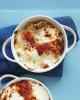
Baked Gnocchi with Ricotta

I found this recipe shortly after my surgery in a Martha Stewart magazine and it's become one of my favorite quick meals during the cooler months. The gnocchi is very filling, so I like to make this dish in small ramekins - they keep well in the fridge and are easy to warm up at work for a filling lunch or for yummy dinner if I'm working a late shift.

INGREDIENTS
  • 1/2 batch cheese
  • 1/4 cup grated Parmesan
DIRECTIONS
  1. STEP 1

    Heat broiler, with rack in top position. Divide gnocchi among four 8-ounce shallow baking dishes or place in an 8-inch square baking dish. Season with salt and pepper, then top with dollops of marinara sauce and ricotta cheese. Sprinkle with grated Parmesan and broil until tops are browned in spots and gnocchi are heated through, 3 to 5 minutes, rotating once.

post-201535-0-76772400-1409783159_thumb.jpg

  • Replies 1
  • Views 1.8k
  • Created
  • Last Reply

Top Posters In This Topic

Popular Days

Posted Images

Featured Replies

Sounds good. Do you make the gnocchi yourself?

Join the conversation

You can post as a guest; create a free account to track replies, follow topics, and be part of the largest weight loss surgery community.

Join the conversation

You can post now and register later. If you have an account, sign in now to post with your account.

Guest
Reply to this topic...

Account

Navigation

Search

Search

Configure browser push notifications

Chrome (Android)
  1. Tap the lock icon next to the address bar.
  2. Tap Permissions → Notifications.
  3. Adjust your preference.
Chrome (Desktop)
  1. Click the padlock icon in the address bar.
  2. Select Site settings.
  3. Find Notifications and adjust your preference.