Skip to content
View in the app

A better way to browse. Learn more.

BariatricPal

A full-screen app on your home screen with push notifications, badges and more.

To install this app on iOS and iPadOS
  1. Tap the Share icon in Safari
  2. Scroll the menu and tap Add to Home Screen.
  3. Tap Add in the top-right corner.
To install this app on Android
  1. Tap the 3-dot menu (⋮) in the top-right corner of the browser.
  2. Tap Add to Home screen or Install app.
  3. Confirm by tapping Install.

Past and present - progress photos attached!

  • Popular Post

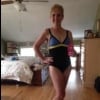
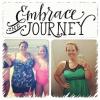
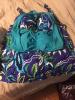
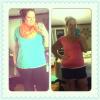
I had my sleeve April 10th and since then I'm just about to hit on the losers bench progress notch of -100! As of August 29th I am -92.5! Pretty excited as I'm just shy of 5 months post op. This journey has been a challenge and a great new life starter! The pics below are week 1 to week 20. Second pic is last years swim top vs this years what I call my "fatkini" top! Third pic is last July vs this July! What a difference a year can do!! Best wishes to all those on their journey and any questions let me know!

post-209306-0-11801000-1409621036_thumb.jpg

post-209306-0-04624700-1409621099_thumb.jpg

post-209306-0-50043100-1409621138_thumb.jpg

  • Replies 7
  • Views 1.5k
  • Created
  • Last Reply

Featured Replies

you look wonderful congrats

Wow! Way to go!

  • 2 weeks later...

Awesome!

  • 3 weeks later...

Great job you look great , thank you for sharing it gives us encouragement to push forward. Keep up the great job.

You were really very cute before too. :)

  • 2 weeks later...

You look awesome! Congrats!!

Archived

This topic is now archived and is closed to further replies.

Account

Navigation

Search

Search

Configure browser push notifications

Chrome (Android)
  1. Tap the lock icon next to the address bar.
  2. Tap Permissions → Notifications.
  3. Adjust your preference.
Chrome (Desktop)
  1. Click the padlock icon in the address bar.
  2. Select Site settings.
  3. Find Notifications and adjust your preference.