Skip to content
View in the app

A better way to browse. Learn more.

BariatricPal

A full-screen app on your home screen with push notifications, badges and more.

To install this app on iOS and iPadOS
  1. Tap the Share icon in Safari
  2. Scroll the menu and tap Add to Home Screen.
  3. Tap Add in the top-right corner.
To install this app on Android
  1. Tap the 3-dot menu (⋮) in the top-right corner of the browser.
  2. Tap Add to Home screen or Install app.
  3. Confirm by tapping Install.

Feeling accomplished

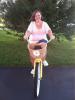
Last year I asked my husband to buy me a bike for my birthday, much to my surprise I forgot how to ride it. Fast forward to this year and while having a birthday celebration at my house I asked for lessons. I guess losing 105 pounds and building up some confidence has helped. I am off and riding! This surgery is an amazing tool!

post-209555-0-81657400-1408319995_thumb.jpg

post-209555-0-06529800-1408320030_thumb.jpg

  • Replies 1
  • Views 434
  • Created
  • Last Reply

Featured Replies

I just started riding my bike with my kids after getting one for Mothers Day three years ago. What a great feeling! I didn't remember how to ride as well, I had a few close calls! Good job, keep up the good work! I am down 64 lbs, sleeved April 14th...

Archived

This topic is now archived and is closed to further replies.

Trending Products

PatchAid Vitamin Patches

Account

Navigation

Search

Search

Configure browser push notifications

Chrome (Android)
  1. Tap the lock icon next to the address bar.
  2. Tap Permissions → Notifications.
  3. Adjust your preference.
Chrome (Desktop)
  1. Click the padlock icon in the address bar.
  2. Select Site settings.
  3. Find Notifications and adjust your preference.