Skip to content
View in the app

A better way to browse. Learn more.

BariatricPal

A full-screen app on your home screen with push notifications, badges and more.

To install this app on iOS and iPadOS
  1. Tap the Share icon in Safari
  2. Scroll the menu and tap Add to Home Screen.
  3. Tap Add in the top-right corner.
To install this app on Android
  1. Tap the 3-dot menu (⋮) in the top-right corner of the browser.
  2. Tap Add to Home screen or Install app.
  3. Confirm by tapping Install.

new BIRTHDAY ...

  • Replies 4
  • Views 1k
  • Created
  • Last Reply

Featured Replies

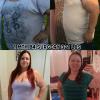
turned the big 40.....yr and 3months out..127lbs..loving the new me

HAPPY HAPPY BIRTHDAY

@@blackie220

the big 4 0 !!!!????

nawwww, can i please see some ID?? ;)

you look absolutely terrific :)

continue with your wonderful, healthier, happier, longer life :)

who deserves it more?? ;)

kathy

congrats

Edited by proudgrammy

Blackie220 you look great (and you don't look 40 at all)! Congratulations!

Summer

I agree you definitely don't look 40!!! Happy Birthday & a huge congratulations to you for celebrating your healthier transformed self!!!! A day to celebrate not only a birthday but also everything you have accomplished this year starting with your health!!! May you continue to be so blessed through out your future & enjoy your birthday to the fullest with many more to follow!!!

Archived

This topic is now archived and is closed to further replies.

Trending Products

PatchAid Vitamin Patches

Account

Navigation

Search

Search

Configure browser push notifications

Chrome (Android)
  1. Tap the lock icon next to the address bar.
  2. Tap Permissions → Notifications.
  3. Adjust your preference.
Chrome (Desktop)
  1. Click the padlock icon in the address bar.
  2. Select Site settings.
  3. Find Notifications and adjust your preference.