Skip to content
View in the app

A better way to browse. Learn more.

BariatricPal

A full-screen app on your home screen with push notifications, badges and more.

To install this app on iOS and iPadOS
  1. Tap the Share icon in Safari
  2. Scroll the menu and tap Add to Home Screen.
  3. Tap Add in the top-right corner.
To install this app on Android
  1. Tap the 3-dot menu (⋮) in the top-right corner of the browser.
  2. Tap Add to Home screen or Install app.
  3. Confirm by tapping Install.

GOAL!

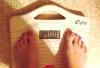
I reached my goal today! This is what greeted me as I got on my scale this morning.

post-171002-0-48505600-1397650688_thumb.jpg

My stats:

Surgery Date: 7/26/13

HW: 269

SW: 248

CW: 140

I will post some pics soon. I am still camera shy. I think it's time to get over that! :D

Thank you to everyone here who has helped me along the way! I hope to pay it forward.

  • Replies 10
  • Views 1k
  • Created
  • Last Reply

Featured Replies

Congratulations!!!

Terrific. I'm only 2 1/2 months out and hope I do as well as you!!

awesome!!!

  • Author

Congratulations!!!

Thank you!!

  • Author

Terrific. I'm only 2 1/2 months out and hope I do as well as you!!

Thanks and good luck!

  • Author

awesome!!!

Thanks!

My stats:

Surgery Date: 7/26/13

HW: 269

SW: 248

CW: 140

still camera shy

@

WooHoo WooHoo

party dance party dance :)

camera shy?? :o

get over it :lol:

you've done amazing!! :)

you have reached GOAL, the journey still continues with maintennance :)

good luck with that ;)

but..........i know you will do great for the rest of your healthier, happier, longer life :)

kathy

congrats

Congratulations! I know that must be an awesome feeling!

WOW WOW WOW!!! I would "like" a hundred times if I could!

Congrats and be sure to stay online so we can learn from your success!

Archived

This topic is now archived and is closed to further replies.

Trending Products

PatchAid Vitamin Patches

Account

Navigation

Search

Search

Configure browser push notifications

Chrome (Android)
  1. Tap the lock icon next to the address bar.
  2. Tap Permissions → Notifications.
  3. Adjust your preference.
Chrome (Desktop)
  1. Click the padlock icon in the address bar.
  2. Select Site settings.
  3. Find Notifications and adjust your preference.