Skip to content
View in the app

A better way to browse. Learn more.

BariatricPal

A full-screen app on your home screen with push notifications, badges and more.

To install this app on iOS and iPadOS
  1. Tap the Share icon in Safari
  2. Scroll the menu and tap Add to Home Screen.
  3. Tap Add in the top-right corner.
To install this app on Android
  1. Tap the 3-dot menu (⋮) in the top-right corner of the browser.
  2. Tap Add to Home screen or Install app.
  3. Confirm by tapping Install.

Submitting today

They are submitting my info to insurance today. I know this is in Gods hands. I just pray they don't require a 6 month diet. When my navigator called to check benefits at the first of January, they told him they evaluate each case by case so they couldn't say if there were requirements other than the 40bmi or 35 with comorbidity. I have found I have severe sleep apnea. My bmi is 46. I am so ready to have this tool to help me achieve my goals.

So please send some positive vibe to me today.

  • Replies 4
  • Views 776
  • Created
  • Last Reply

Featured Replies

Does your insurance company have an on-line benefits guide? While I called my insurance company to get the requirements and information regarding the surgery what I found most helpful is that the information in writing wasn't disputable. I wish you the best of luck. It only took me 2 days to receive approval from my insurance company. Here's hoping that it is just as speedy for you!


  • Author

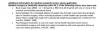
It mentions a 6 month diet attempt but it doesn't say it has to be recent. It doesn't even have to be with a doctor.

post-197915-0-70368200-1392903507_thumb.jpg

  • Author

So I have a 6 month attempt but it was 2 years ago. So we will see. They started tracking again in January just in case. I am just ready!

Wishing you the best and hope you get a fast approval! :)

Archived

This topic is now archived and is closed to further replies.

Account

Navigation

Search

Search

Configure browser push notifications

Chrome (Android)
  1. Tap the lock icon next to the address bar.
  2. Tap Permissions → Notifications.
  3. Adjust your preference.
Chrome (Desktop)
  1. Click the padlock icon in the address bar.
  2. Select Site settings.
  3. Find Notifications and adjust your preference.