



Starting The Journey
Featured Replies
Join the conversation
You can post as a guest; create a free account to track replies, follow topics, and be part of the largest weight loss surgery community.

A better way to browse. Learn more.
A full-screen app on your home screen with push notifications, badges and more.
Join BariatricPal free
You can post as a guest; create a free account to track replies, follow topics, and be part of the largest weight loss surgery community.
Find support for your bariatric or GLP-1 journey. Save helpful conversations and take part when you are ready.
Choose your email preferences on the registration form.
Already a member? Sign in
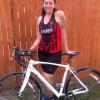
Hi, my name is Robyn and I had my vertical sleeve surgery on 11/11/13. I have lived through the first week, the gas pain and am feeling almost normal. It was wonderful to eat some grits and oatmeal and not feeling hungry all the time. The 2 week diet prior to surgery was something I did because that was what was required. It was tough, I felt hungry most of the time, was discouraged that the weight seemed to slowly change but was nothing compared to what I thought it would be with so little intake. The gas pain after the surgery was the worst of the surgery but that changed and became better every day. I am looking forward to slowly increasing the food options and continuing to eat to live. I am a food lover but am very dedicated to my rebirth of a better me. Congratulations to all of you in your weight loss.