




- Replies 1
- Views 1.1k
- Created
- Last Reply
Top Posters In This Topic
-
gloiristk 1 post

Popular Days
Posted Images
Featured Replies
Join the conversation
You can post as a guest; create a free account to track replies, follow topics, and be part of the largest weight loss surgery community.
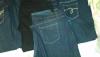
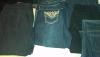
I have several pairs of jeans available. I have jeggings in 26/28 in blue and black. I have boot cut and straight leg jeans in 26 tall and 26 petite. I have skinny jeans in 26 tall, and a pair of black jeans in 28. I have a variety of washes and even a pair of butt lifting jeans in 26. 90% of the jeans came from Avenue and one pair from fashion bug. I also have 2 pairs of capris from Lane Bryant one kakie one in a dark blue wash. If interested message me and I can send you photos of what there is.
Edited by homersmomma