Skip to content
View in the app

A better way to browse. Learn more.

BariatricPal

A full-screen app on your home screen with push notifications, badges and more.

To install this app on iOS and iPadOS
  1. Tap the Share icon in Safari
  2. Scroll the menu and tap Add to Home Screen.
  3. Tap Add in the top-right corner.
To install this app on Android
  1. Tap the 3-dot menu (⋮) in the top-right corner of the browser.
  2. Tap Add to Home screen or Install app.
  3. Confirm by tapping Install.

drinks

  • Replies 19
  • Views 1.6k
  • Created
  • Last Reply

Featured Replies

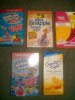
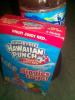
Yep...all sugar free and the fruit juicy red one makes excellent popsicles lol. Yummy

That's one of my favorite drinks too!

That's one of my favorite drinks too!

Mine too and the sugar free is delish :-) I even got some sugar free yoohoo packs. I thought they went in Water too. Yuck!!! No, they go in milk but they are good in fat free milk.

(Pre op) sw 341~cw 319~gw 140

Mine too and the sugar free is delish :-) I even got some sugar free yoohoo packs. I thought they went in Water too. Yuck!!! No' date=' they go in milk but they are good in fat free milk.

(Pre op) sw 341~cw 319~gw 140[/quote']

Well I will defiantly be checking those out when I go to the store. I just went. The other day so I won't go back for a week or so.

Well I will defiantly be checking those out when I go to the store. I just went. The other day so I won't go back for a week or so.

Hey girl...checking in on you to see how you are doing. Hope things are going well your way :-) for some reason, I can't start private messages. I can only reply to them if I receive one first.

(Pre op) sw 341~cw 319~gw 140

Archived

This topic is now archived and is closed to further replies.

Trending Products

PatchAid Vitamin Patches

Account

Navigation

Search

Search

Configure browser push notifications

Chrome (Android)
  1. Tap the lock icon next to the address bar.
  2. Tap Permissions → Notifications.
  3. Adjust your preference.
Chrome (Desktop)
  1. Click the padlock icon in the address bar.
  2. Select Site settings.
  3. Find Notifications and adjust your preference.