Skip to content
View in the app

A better way to browse. Learn more.

BariatricPal

A full-screen app on your home screen with push notifications, badges and more.

To install this app on iOS and iPadOS
  1. Tap the Share icon in Safari
  2. Scroll the menu and tap Add to Home Screen.
  3. Tap Add in the top-right corner.
To install this app on Android
  1. Tap the 3-dot menu (⋮) in the top-right corner of the browser.
  2. Tap Add to Home screen or Install app.
  3. Confirm by tapping Install.

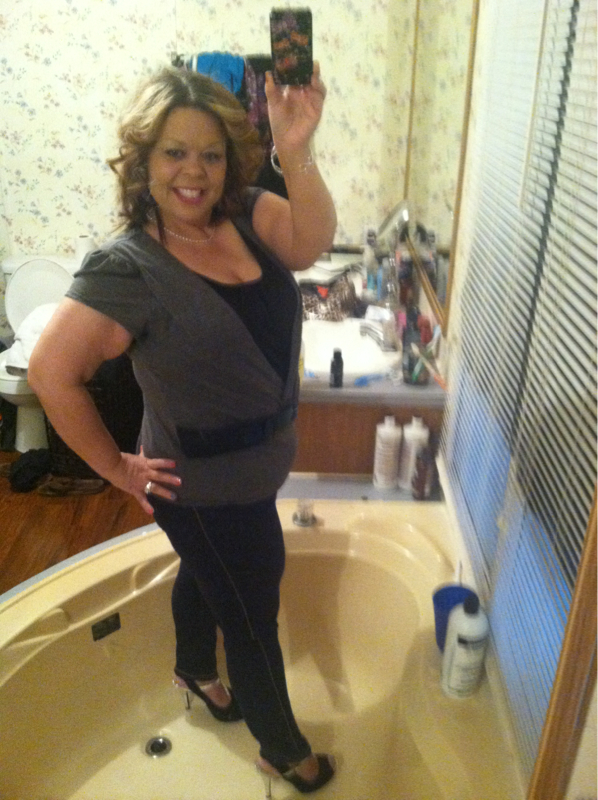
3 months post op

  • Replies 3
  • Views 570
  • Created
  • Last Reply

Featured Replies

You look wonderful! But please be careful with those shoes in that tub! Your picture made worried!!! Oxox

  • Author

That's the only mirror I have that I can take a full body shot.. I'm only 5ft so.. Yeah I was thinking about me falling in the tub too! Lol

First u need to take ur patootie to the dollar store buy u 3-4 full length mirrors their 5 bucks and hang them up bc ur gonna wanna look at that a lot more often and without the risk of breaking ur neck lol. I positively love those shoes..u lookin hot there mama really.

Archived

This topic is now archived and is closed to further replies.

Trending Products

PatchAid Vitamin Patches

Account

Navigation

Search

Search

Configure browser push notifications

Chrome (Android)
  1. Tap the lock icon next to the address bar.
  2. Tap Permissions → Notifications.
  3. Adjust your preference.
Chrome (Desktop)
  1. Click the padlock icon in the address bar.
  2. Select Site settings.
  3. Find Notifications and adjust your preference.