Skip to content
View in the app

A better way to browse. Learn more.

BariatricPal

A full-screen app on your home screen with push notifications, badges and more.

To install this app on iOS and iPadOS
  1. Tap the Share icon in Safari
  2. Scroll the menu and tap Add to Home Screen.
  3. Tap Add in the top-right corner.
To install this app on Android
  1. Tap the 3-dot menu (⋮) in the top-right corner of the browser.
  2. Tap Add to Home screen or Install app.
  3. Confirm by tapping Install.

Some Cool Stuff

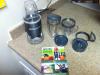
That i bought

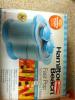
Thought i would share the second pic is a popsicle maker yu can put pudding inside and all kinds of stuff in it and it freezes it in 10 mins

post-25776-13813810557517_thumb.jpg

post-25776-13813810558396_thumb.jpg

  • Replies 3
  • Views 607
  • Created
  • Last Reply

Featured Replies

The one fav. think I bought right after surgery was a food scale so I can be sure that I am taking the correct amounts. I use that every single day !!!

Let us know how that popsicle maker works. I love gadgets. sounds like something right up my alley. You will love the blender thingy, I have a similar one. It is great.

Anybody else have any new or just can't live with out things, Again I am a gadget junky so let me know,

  • Author

Yea i have a scale too very handy, will do all let yu know how the popsicle marker works tonight.

Archived

This topic is now archived and is closed to further replies.

Trending Products

PatchAid Vitamin Patches

Account

Navigation

Search

Search

Configure browser push notifications

Chrome (Android)
  1. Tap the lock icon next to the address bar.
  2. Tap Permissions → Notifications.
  3. Adjust your preference.
Chrome (Desktop)
  1. Click the padlock icon in the address bar.
  2. Select Site settings.
  3. Find Notifications and adjust your preference.