Skip to content
View in the app

A better way to browse. Learn more.

BariatricPal

A full-screen app on your home screen with push notifications, badges and more.

To install this app on iOS and iPadOS
  1. Tap the Share icon in Safari
  2. Scroll the menu and tap Add to Home Screen.
  3. Tap Add in the top-right corner.
To install this app on Android
  1. Tap the 3-dot menu (⋮) in the top-right corner of the browser.
  2. Tap Add to Home screen or Install app.
  3. Confirm by tapping Install.
  • Appearance

Join BariatricPal free

  • Ask your own questions
  • Reply and follow topics
  • Message other members
  • No cost, no spam

Big Pants

  • Popular Post

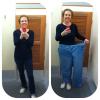
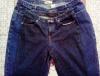
How do you know you're a vet? You have at least one pic of yourself in one leg of your old pants!

Here's mine. Let's see yours!

Before and After Pants

  • Replies 92
  • Views 13.1k
  • Created
  • Last Reply

Top Posters In This Topic

Most Popular Posts

Posted Images

Featured Replies

Don't worry...I'm not gonna go "big country" on y'all. I'll keep a few clothes on.

HA!! But I thought you had a pair of stars and stripes to show us!

HA!! But I thought you had a pair of stars and stripes to show us!

Wow...I almost forgot about those. I may whip those out for New Years Eve.

Wow...I almost forgot about those. I may whip those out for New Years Eve.

Bahahaha.

  • Popular Post

Wow...I almost forgot about those. I may whip those out for New Years Eve.

Ummm... Butter it may have been the morphine

But you don't remember sending this picture out last night??????

post-43821-13813670514986_thumb.jpg

Thanks Lynda! I'll try and get some one leggers tomorrow but for Now

Love ur phone case! Love owls!

  • Popular Post
Ummm... Butter it may have been the morphine But you don't remember sending this picture out last night??????

**** I thought I was sending that to Father O'Leary.

This thread is great. I actually teared up(if u knew me u'd know that was a big deal). It made me realize that I actually have a chance to get to that place. Didn't seem possible Thanks!

I have no clue how to post pictures. I have a tablet and I know it takes pictures but how I would get one from the tablet to here, remains a mystery.

  • Author
Ummm... Butter it may have been the morphine But you don't remember sending this picture out last night??????

Stop it! I laughed so loud I woke hubby up. Look in' good butter!

I have no clue how to post pictures. I have a tablet and I know it takes pictures but how I would get one from the tablet to here' date=' remains a mystery.[/quote']

Hey daisy....when I type a reply on my tablet, in the upper left hand corner there's a button labeled "advanced". Click that. Then I click "attach from photos". Once I pick the photo...it uploads. When it says done uploading, there is an arrow out to the right of it. I click that, then click "insert inline" and it's done. Like this one of Laura that just randomly popped up.

post-17584-13813670525938_thumb.jpg

I have no clue how to post pictures. I have a tablet and I know it takes pictures but how I would get one from the tablet to here' date=' remains a mystery.[/quote']

Own mind if you're using the app type a regular update. Then right beside the sand button up on the top there's a + click on plus. It will say attach from camera or attach from tablet choose your photo go back and send

  • Popular Post

Hey daisy....when I type a reply on my tablet' date=' in the upper left hand corner there's a button labeled "advanced". Click that. Then I click "attach from photos". Once I pick the photo...it uploads. When it says done uploading, there is an arrow out to the right of it. I click that, then click "insert inline" and it's done. Like this one of Laura that just randomly popped up.

[/quote']

Nice....

Oh look a before of butter! Found this on another forum he belongs to..

http://www.crossdressers.com/forums/showthread.php?148362-Transvestite-vs.-Crossdresser

post-43821-13813670530697_thumb.jpg

Oh jeezus.....some things you just can't unsee.

:P

:P

Girl, you got to stop! You are killings (and my brain)

Join the conversation

You can post as a guest; create a free account to track replies, follow topics, and be part of the largest weight loss surgery community.

Join the conversation

You can post now and register later. If you have an account, sign in now to post with your account.

Guest
Reply to this topic...

Account

Navigation

Search

Search

Configure browser push notifications

Chrome (Android)
  1. Tap the lock icon next to the address bar.
  2. Tap Permissions → Notifications.
  3. Adjust your preference.
Chrome (Desktop)
  1. Click the padlock icon in the address bar.
  2. Select Site settings.
  3. Find Notifications and adjust your preference.