Skip to content
View in the app

A better way to browse. Learn more.

BariatricPal

A full-screen app on your home screen with push notifications, badges and more.

To install this app on iOS and iPadOS
  1. Tap the Share icon in Safari
  2. Scroll the menu and tap Add to Home Screen.
  3. Tap Add in the top-right corner.
To install this app on Android
  1. Tap the 3-dot menu (⋮) in the top-right corner of the browser.
  2. Tap Add to Home screen or Install app.
  3. Confirm by tapping Install.
  • Appearance

Join BariatricPal free

  • Ask your own questions
  • Reply and follow topics
  • Message other members
  • No cost, no spam

PROTEIN TRACKER APP

Hi everyone!

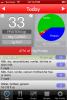
I'm on day 16 post op and am struggling to get my daily goal Protein in so I decided to try tracking it. I had been using My Fitness Pal but was not satisfied with the ability to track my protein from my phone so I searched the App Store for "protein tracker" and there are some pretty cool apps dedicated to tracking not only calories but the macros as well. I settled on "Bulk Up! Protein Tracker for iPhone" and I am loving it!

Just a heads up!

Sent from my iPhone using VST

post-60631-13813666584323_thumb.jpg

  • Replies 2
  • Views 1.9k
  • Created
  • Last Reply

Top Posters In This Topic

Posted Images

Featured Replies

I use My Net Diary which is part of the Medhelp.org tool suite. I like it because you can do all kinds of reports off the website. But you can enter data either on the phone app or the web. Im just going to print it out and take it to my next NUT appt.

Thanks for the info! I had to play around with MyFitnessPal on my phone before I could find what I was looking for, but I'm good with it now!

Join the conversation

You can post as a guest; create a free account to track replies, follow topics, and be part of the largest weight loss surgery community.

Join the conversation

You can post now and register later. If you have an account, sign in now to post with your account.

Guest
Reply to this topic...

Account

Navigation

Search

Search

Configure browser push notifications

Chrome (Android)
  1. Tap the lock icon next to the address bar.
  2. Tap Permissions → Notifications.
  3. Adjust your preference.
Chrome (Desktop)
  1. Click the padlock icon in the address bar.
  2. Select Site settings.
  3. Find Notifications and adjust your preference.