Skip to content
View in the app

A better way to browse. Learn more.

BariatricPal

A full-screen app on your home screen with push notifications, badges and more.

To install this app on iOS and iPadOS
  1. Tap the Share icon in Safari
  2. Scroll the menu and tap Add to Home Screen.
  3. Tap Add in the top-right corner.
To install this app on Android
  1. Tap the 3-dot menu (⋮) in the top-right corner of the browser.
  2. Tap Add to Home screen or Install app.
  3. Confirm by tapping Install.

First Progress Picture

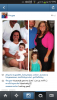
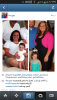
My VSG Journey began last summer when I tipped the scale at 260 after returning from a family vacation at the beach. I began diet and exercise and lost 20 pounds. After hitting a plateau for several months, I started researching WLS...I had VSG on May 6 and am down 23 more pounds. So, a total of 43 pounds gone so far. My goal is still about 50 pounds away but DANG I'm closer than I was!!!

post-58406-13813666155352_thumb.png

post-58406-13813666155714_thumb.png

  • Replies 5
  • Views 864
  • Created
  • Last Reply

Featured Replies

My VSG Journey began last summer when I tipped the scale at 260 after returning from a family vacation at the beach. I began diet and exercise and lost 20 pounds. After hitting a plateau for several months' date=' I started researching WLS...I had VSG on May 6 and am down 23 more pounds. So, a total of 43 pounds gone so far. My goal is still about 50 pounds away but DANG I'm closer than I was!!![/quote']

You look great! So much younger already. Good job!

  • Author

Can you see the photo well? From my phone I can't. Was wondering if I should add a Better photo.

You look great!!

Can you see the photo well? From my phone I can't. Was wondering if I should add a Better photo.

Yes it shows up fine.

Archived

This topic is now archived and is closed to further replies.

Trending Products

PatchAid Vitamin Patches

Account

Navigation

Search

Search

Configure browser push notifications

Chrome (Android)
  1. Tap the lock icon next to the address bar.
  2. Tap Permissions → Notifications.
  3. Adjust your preference.
Chrome (Desktop)
  1. Click the padlock icon in the address bar.
  2. Select Site settings.
  3. Find Notifications and adjust your preference.