Skip to content
View in the app

A better way to browse. Learn more.

BariatricPal

A full-screen app on your home screen with push notifications, badges and more.

To install this app on iOS and iPadOS
  1. Tap the Share icon in Safari
  2. Scroll the menu and tap Add to Home Screen.
  3. Tap Add in the top-right corner.
To install this app on Android
  1. Tap the 3-dot menu (⋮) in the top-right corner of the browser.
  2. Tap Add to Home screen or Install app.
  3. Confirm by tapping Install.

May sleevers Pre Op Pics

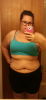
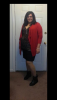
I can't figure out how to upload pics to my gallery via the app so figured id put the preop pics here. But then I thought it would be neat if other May sleevers wanted to share their pre op pics here and then we can check in monthly. If you want you can put your stats up too.

  • Replies 1
  • Views 401
  • Created
  • Last Reply

Featured Replies

  • Author

Starting Stats

268lbs

5'8"

Size 18/20 pants

1x top

38 D

Measurements: bust49", waist40", hips56" pear shaped

(Feel free to share as much or as little as you would like..I'm sharing more because I see a lot of before pics where people are covered in clothes and you can barely see their body)

[ATTACH]12869[/ATTACH]

post-54440-138136657046_thumb.png

post-54440-13813665705426_thumb.png

post-54440-13813665705752_thumb.png

post-54440-13813665706068_thumb.png

Archived

This topic is now archived and is closed to further replies.

Trending Products

PatchAid Vitamin Patches

Account

Navigation

Search

Search

Configure browser push notifications

Chrome (Android)
  1. Tap the lock icon next to the address bar.
  2. Tap Permissions → Notifications.
  3. Adjust your preference.
Chrome (Desktop)
  1. Click the padlock icon in the address bar.
  2. Select Site settings.
  3. Find Notifications and adjust your preference.